REAR AXLE
M6040, M7040, WSM
4-S6
[2] DISASSEMBLING REAR AXLE
(1) Brake Section
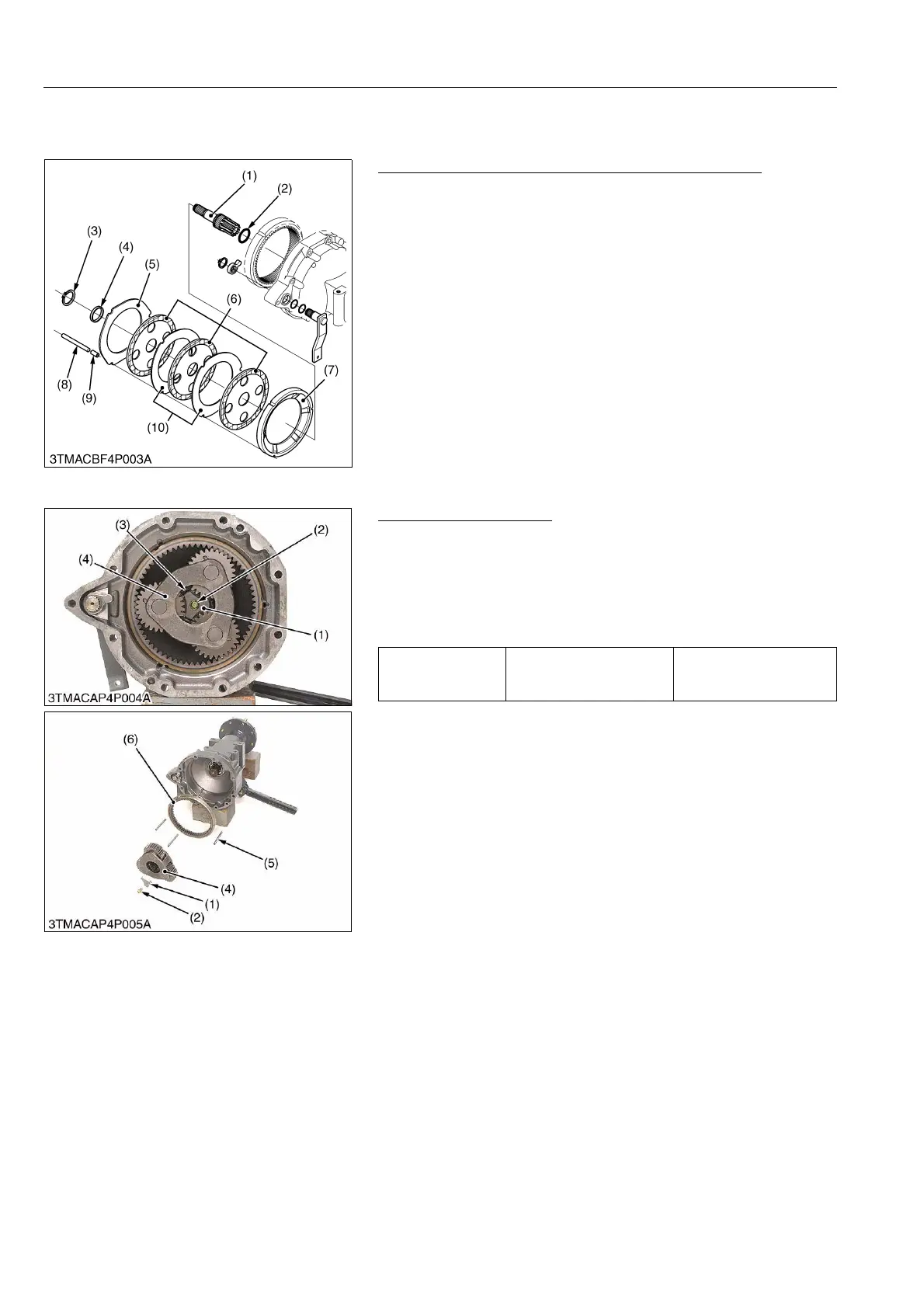
Brake Shaft, Brake Disc, Steel Plate and Brake Plate
1. Draw out the brake shaft (1) with brake discs (6) and steel plates
(10).
2. Remove the external circlip (3) and collar (4).
3. Remove the brake plate (7), collar (9) and pin (8).
(When reassembling)
• Place the brake discs (6) so that the holes aligned to next holes.
• Assemble the steel plate (5) to original position that is thicker
than the steel plate (10).
9Y1210143RAS0006US0
(2) Rear Axle Case
Planetary Gear Support
1. Remove the retainer plate mounting screw (2) and retainer (1).
2. Remove the external circlip (3).
3. Carefully remove the planetary gear support (4).
4. Remove the internal gear (6) and pins (5).
(When reassembling)
• Be sure to insert the retainer plate (1).
9Y1210143RAS0007US0
(1) Brake Shaft
(2) O-ring
(3) External Circlip
(4) Collar
(5) Steel Plate
(6) Brake Disc
(7) Brake Plate
(8) Pin
(9) Collar
(10) Steel Plate
Tightening torque
Retainer plate mounting
screw
60.8 to 70.6 N·m
6.2 to 7.2 kgf·m
44.9 to 72.3 lbf·ft
(1) Retainer Plate
(2) Screw
(3) External Circlip
(4) Planetary Gear Support
(5) Pin
(6) Internal Gear



 To Next Page