84
Accutome A-Scan Plus User’s Guide
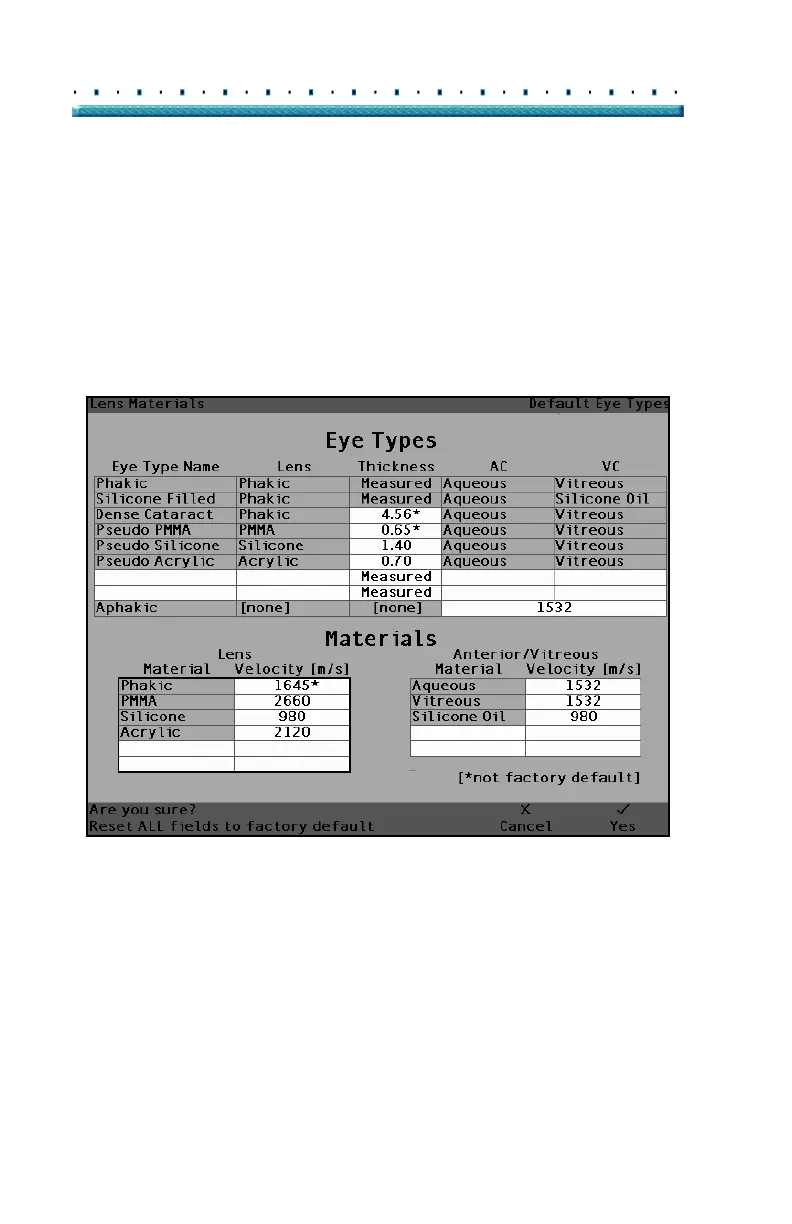
2. The Accutome A-Scan Plus will prompt you with
the message "Are you sure?" as shown in
Figure
50 below. You must either cancel or continue.
3. Press the button beneath the selection "Yes". (You
can also press the Affirmative button located at the
right side of the front panel.)
4. The Accutome A-Scan Plus will reset all fields to
their factory default as shown in
Figure 48 on page
82.
[All eye types include an assumed cornea]
Figure 50 Restore All Fields Prompt
*Note: At this point if you would like to continue with the
setting preferences, press the button beneath the
selection "More Settings..." or press the dedicated
Preferences button a second time.



 To Next Page