194
Accutome A-Scan Plus User’s Guide
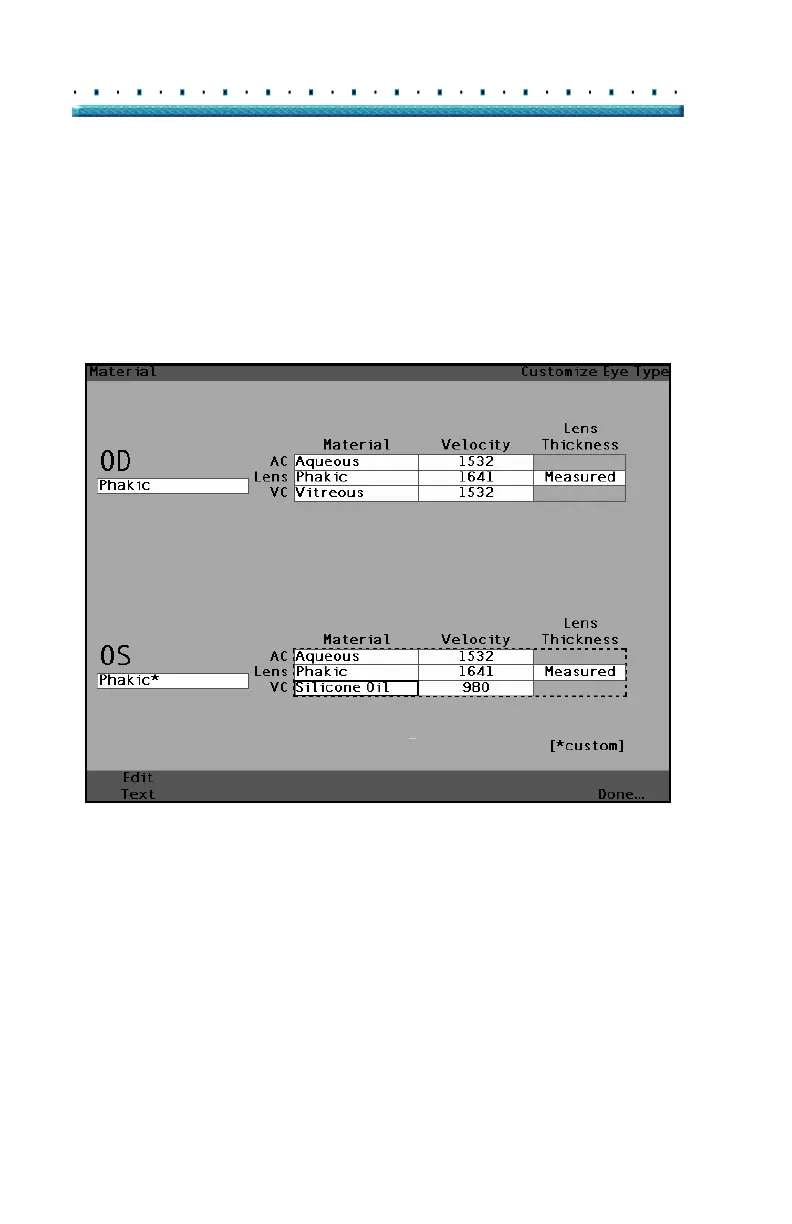
7. Press the knob or the √ button, to save the
selected VC Material and to deactivate the field.
Notice that they eye type name in
Figure 133
below is now followed by an * indicating that is a
custom eye type.
[All eye types include an assumed cornea]
Figure 133 VC Material Cell Changed



 To Next Page