122
Accutome A-Scan Plus User’s Guide
How to Set the Default Gain
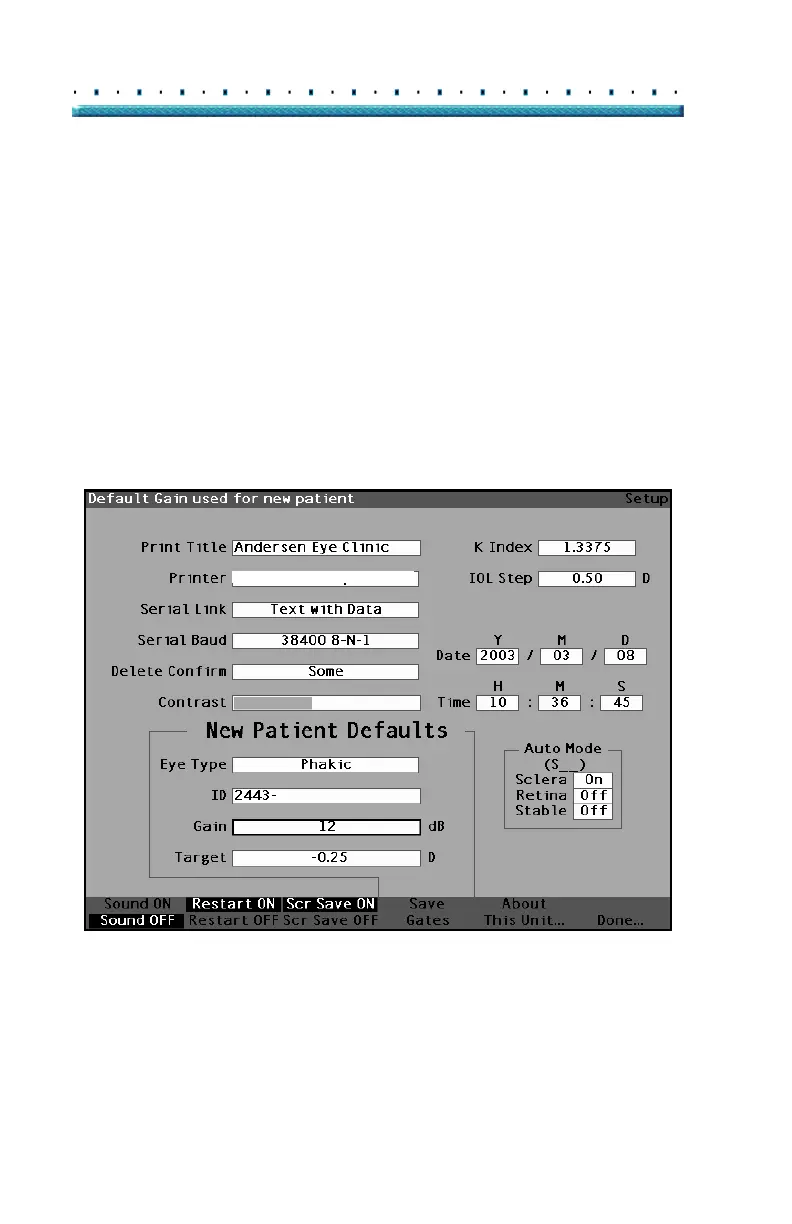
The Default Gain parameter allows you to adjust the new
patient ultrasound gain. You can adjust the gain for any
waveform from the Measure Screen, but when you
adjust the gain value on the Setup Screen the adjusted
gain becomes the default gain for all new patients. The
gain can be adjusted throughout the range of 0dB to 20
dB in increments of 1dB.
To adjust the gain:
1. Within the Setup Screen, rotate the knob to select
the Gain field, indicated by a solid black border.
2. Press the knob or the √ button, to activate the
field, indicated by the dashed border.
HP LaserJet Compatible
Figure 85 Default Gain Field Selected



 To Next Page