195
Customizing Eye Types How to Customize an Eye Type
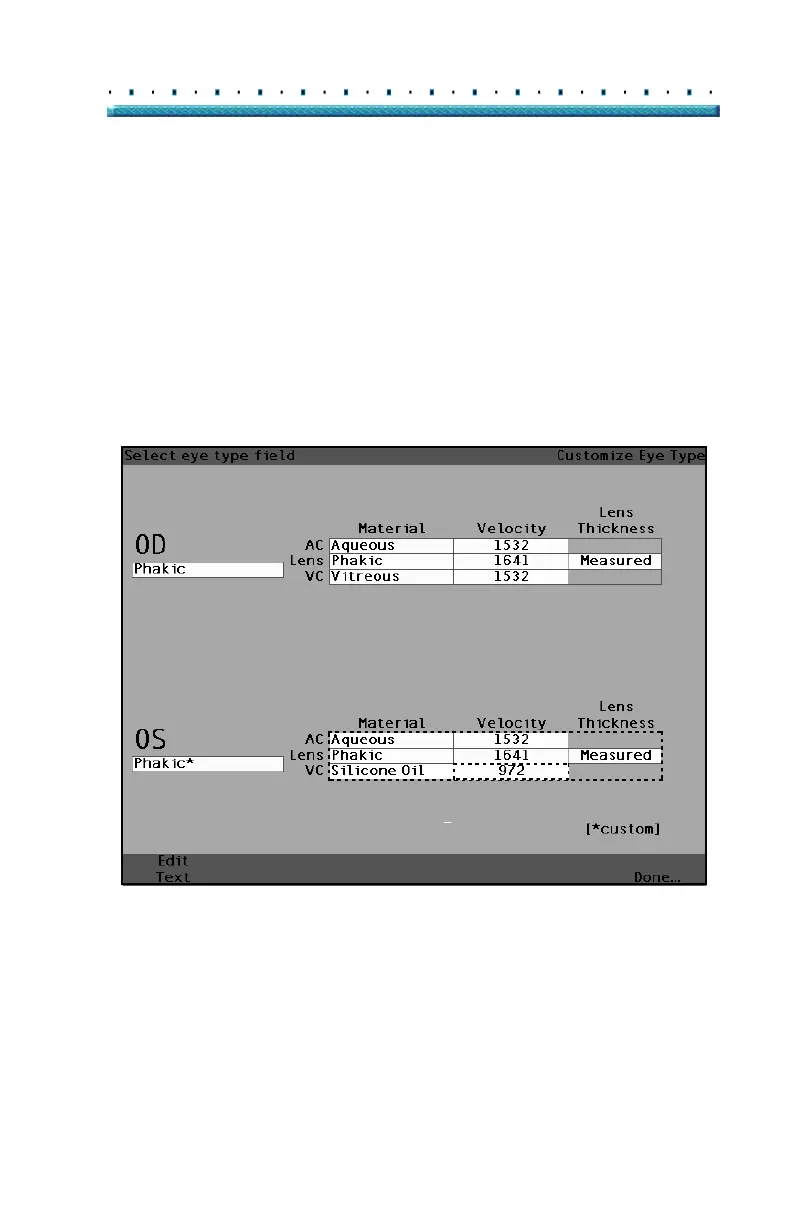
8. Within the OS Material/Velocity table, rotate the
knob to select the VC Velocity cell. The velocity
may need to be changed to correlate to the change
in material.
9. Within the VC Velocity cell, rotate the knob to
adjust the velocity.
10. You can also press the button beneath the selec-
tion "Edit Text" and enter the material name; the
material doesn’t have to be pre-entered.
[All eye types include an assumed cornea]
Figure 134 Changing Velocity Field



 To Next Page