77
Preferences How to Add a New Eye Type
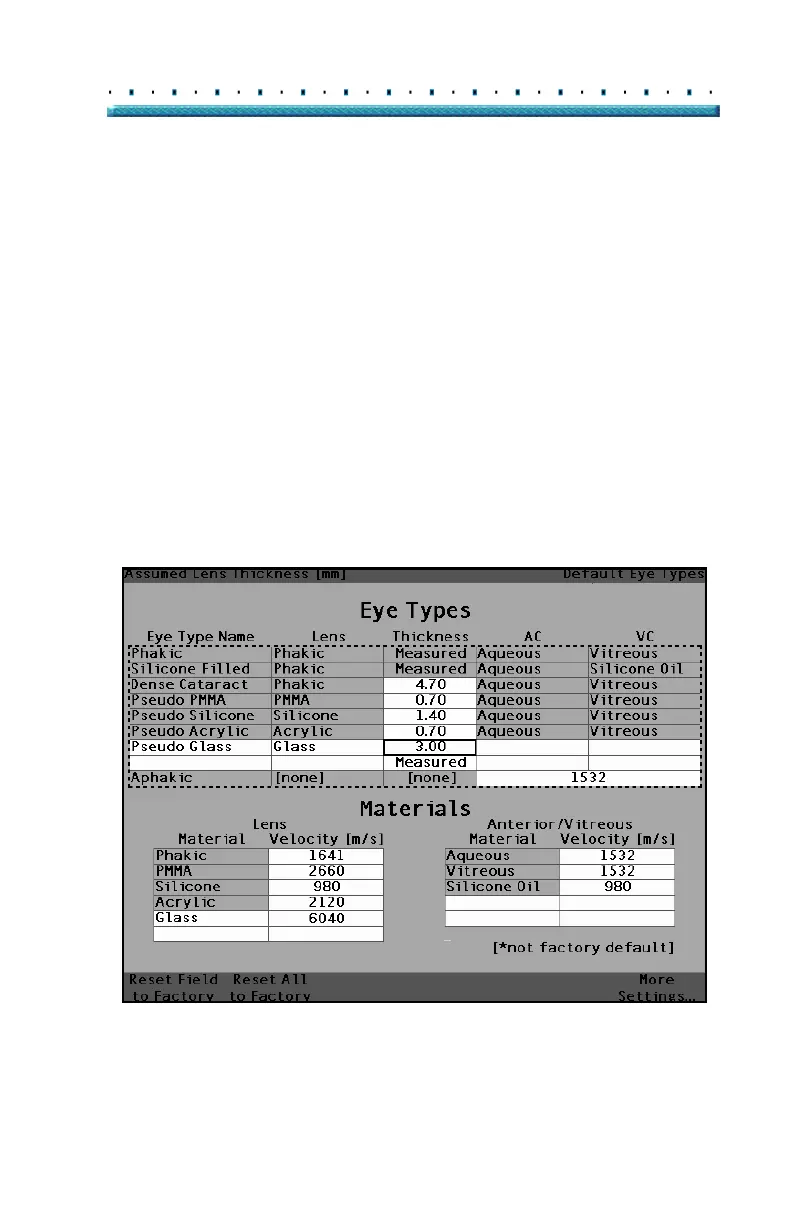
10. Within the Eye Types table, rotate the knob to
select the Lens Thickness Cell associated with the
current Eye Type Name, and Lens.
11. Press the knob or the √ button, to activate the cell,
indicated by the dashed border.
12. If the Lens thickness can be measured using ultra-
sound the entry should be "Measured". If the
value for Lens Thickness is not "Measured" (and
it’s possible to measure the thickness), press the
X button to remove the entered thickness and dis
-
play "Measured".
13. If the Lens thickness can not be measured using
ultrasound, enter an assumed lens thickness for
this type of lens by turning the knob. In the exam
-
ple given, the thickness that has been entered is
"3".
[All eye types include an assumed cornea]
Figure 43 Lens Thickness Entered



 To Next Page