146
Accutome A-Scan Plus User’s Guide
1. If you would like to define the Auto Mode by Retina
signal quality, rotate the knob to select the "Retina"
field.
2. Press the knob or the √ button, to activate the
field, indicated by the dashed border.
3. Rotate the knob to switch from "Off" to "On"
4. Press the knob or the √ button, to save the
adjusted Retina and to deactivate the field.
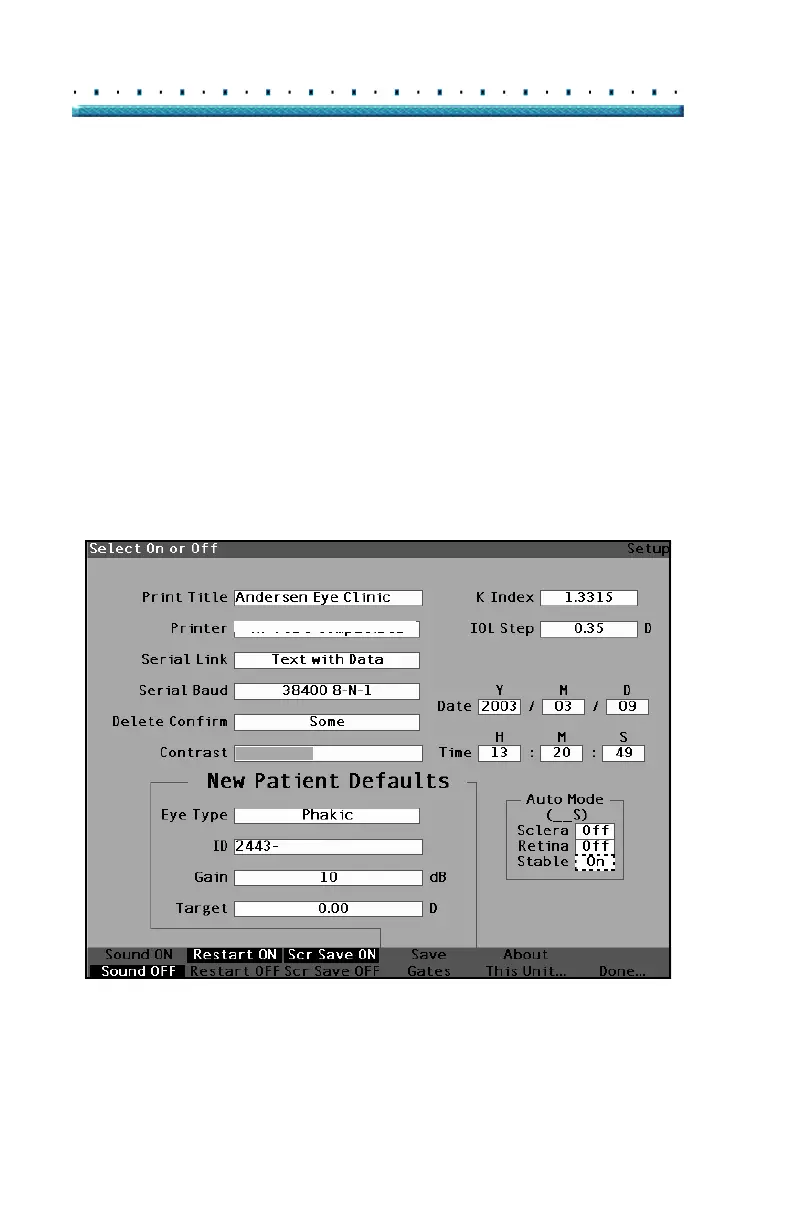
5. If you would like to define the Auto Mode by a sta-
ble measurement, rotate the knob to select the
"Stable" field.
6. Press the knob or the √ button, to activate the
field, indicated by the dashed border.
7. Rotate the knob to switch from "Off" to "On"
8. Press the knob or the √ button, to save the
adjusted Stable and to deactivate the field.
HP LaserJet Compatible
Figure 107 Auto Mode - "Stable" Selected



 To Next Page