255
Printing Records How to Print a Record
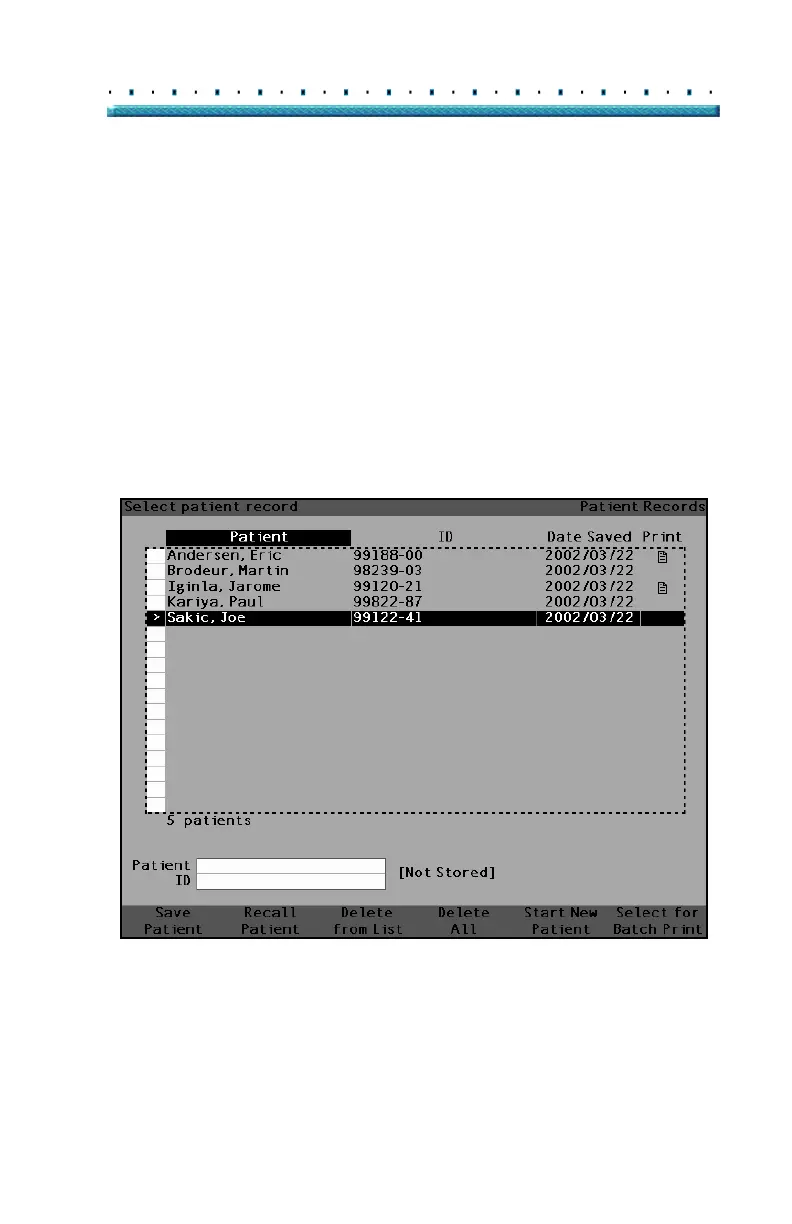
2. Rotate the knob until you have selected the
Patient’s record you would like to print.
3. Press the button below the "Select for Batch Print"
selection.
4. If you would like to select all Patients, hold the
"Select for Batch Print" button for one second.
Conversely, if you would like deselect Patients
already selected for batch print, hold the "Select
for Batch Print" button for one second.
5. Continue to select all Patient records that you want
to print.
6. Press the "Print" button located at the right side of
the front panel.
7. The Accutome A-Scan Plus will print all records
selected for batch print.
Figure 163 Saved Patient Record - Select for Batch Print



 To Next Page