219
Setting Up IOL Groups How to Set Up an IOL Group
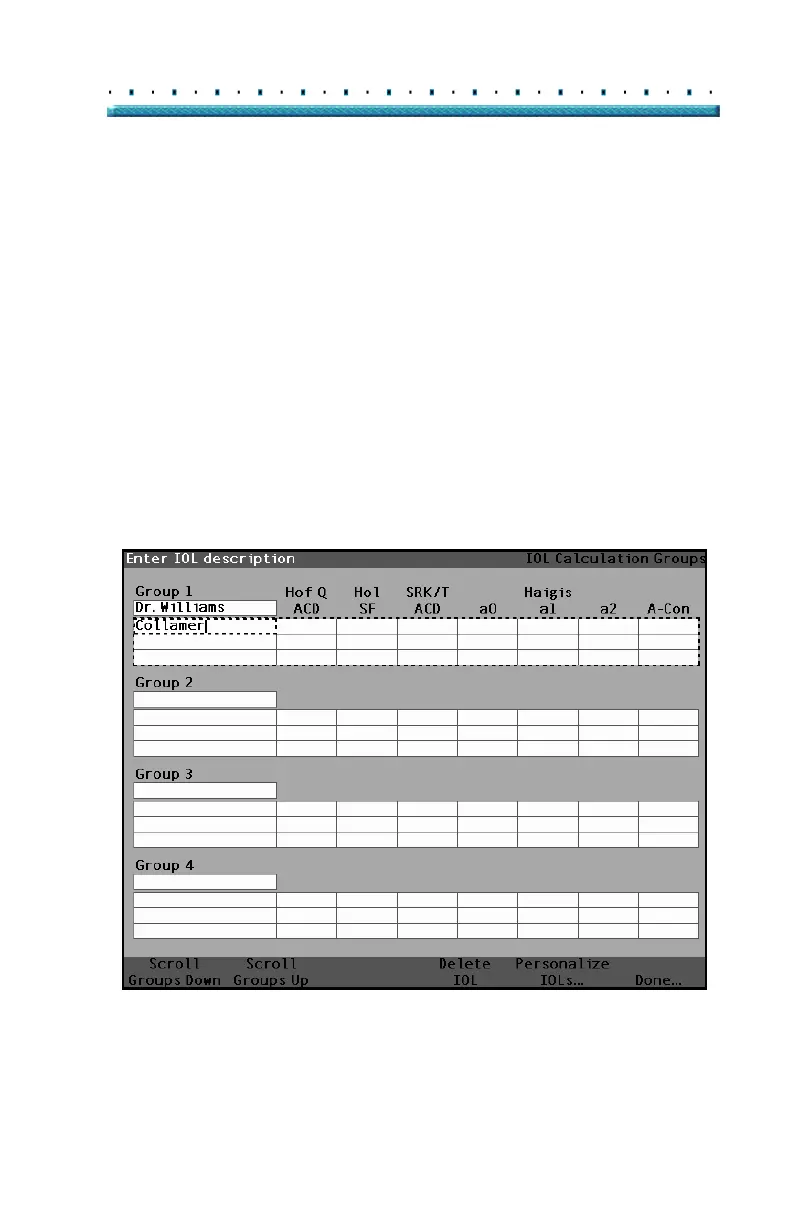
Entering the Group’s Lenses
To enter an IOL Group’s Lenses:
1. Select the lens table located to the right of the
Group field. (Selection is indicated by a solid black
border).
2. Press the knob to activate the table, indicated by
the dashed border.
3. Within the lens table, rotate the knob and select
the Description cell. (Selection is indicated by a
solid black border).
4. Enter the description of the first lens you are enter-
ing.
5. Press the knob or the √ button, to save the
description and to deactivate the field.
Figure 147 Entering the IOL Description



 To Next Page