44
Accutome A-Scan Plus User’s Guide
4. Select the Formula, if necessary, by pressing the
button beneath the selection "Select Formula" until
the appropriate formula is displayed.
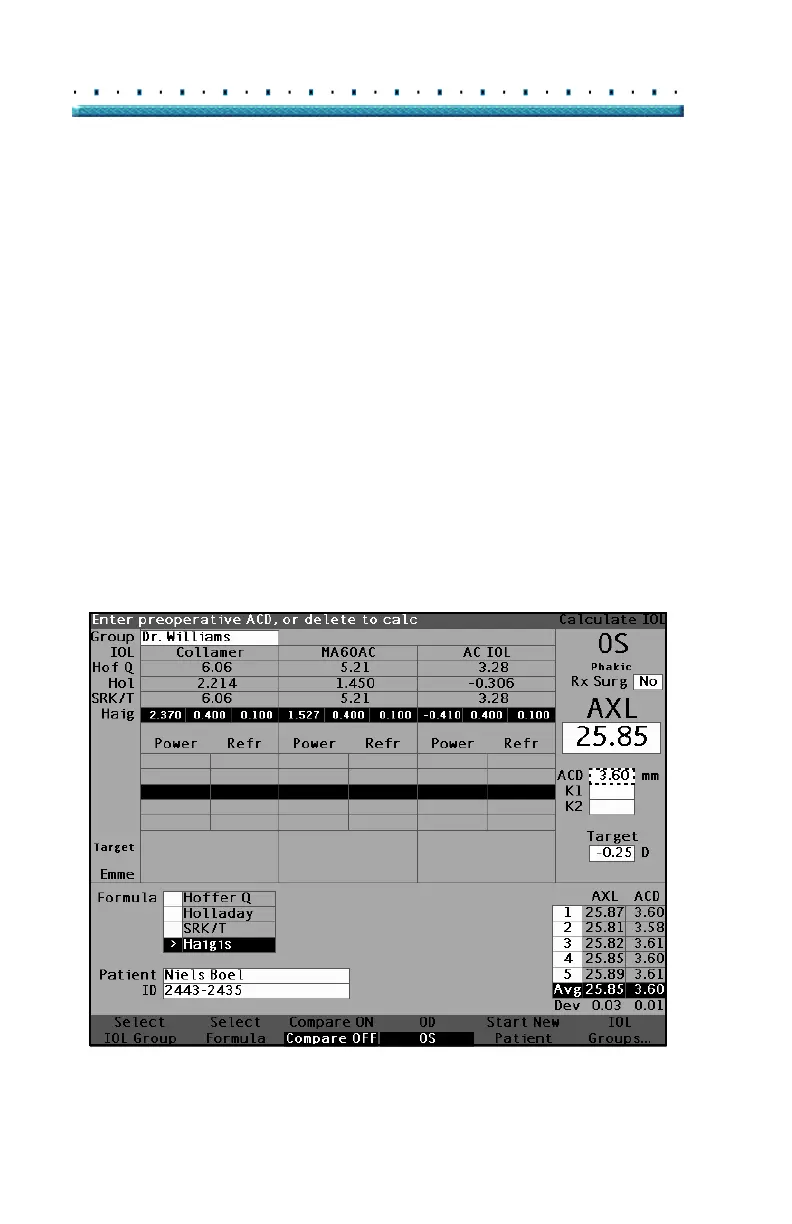
5. If using the Haigis formula, and the ACD value
needs to be changed, rotate the knob to select the
ACD field and press the knob or the
√ button to
activate the field. When the field is active either
rotate the knob or manually enter the ACD value in
millimeters (mm). If you would like the Accutome
to calculate the phakic ACD press the "Delete" key
or the X button to remove the entered value and
replace it with "Calc" for a calculated value
*Note: The ACD field is only active if you are using the
Haigis formula. If you have selected another
calculation formula the field will not appear.
Entered ACD should be a phakic ACD
measurement. If this value is unknown, the ACD
can be estimated by entering "0".
Figure 26 ACD Field Selected



 To Next Page