210
Accutome A-Scan Plus User’s Guide
Changing Rx Surg Field to Yes
*Note: The only time the Rx Surg field should be changed
to yes is for a patient that has had corneal refraction
surgery.
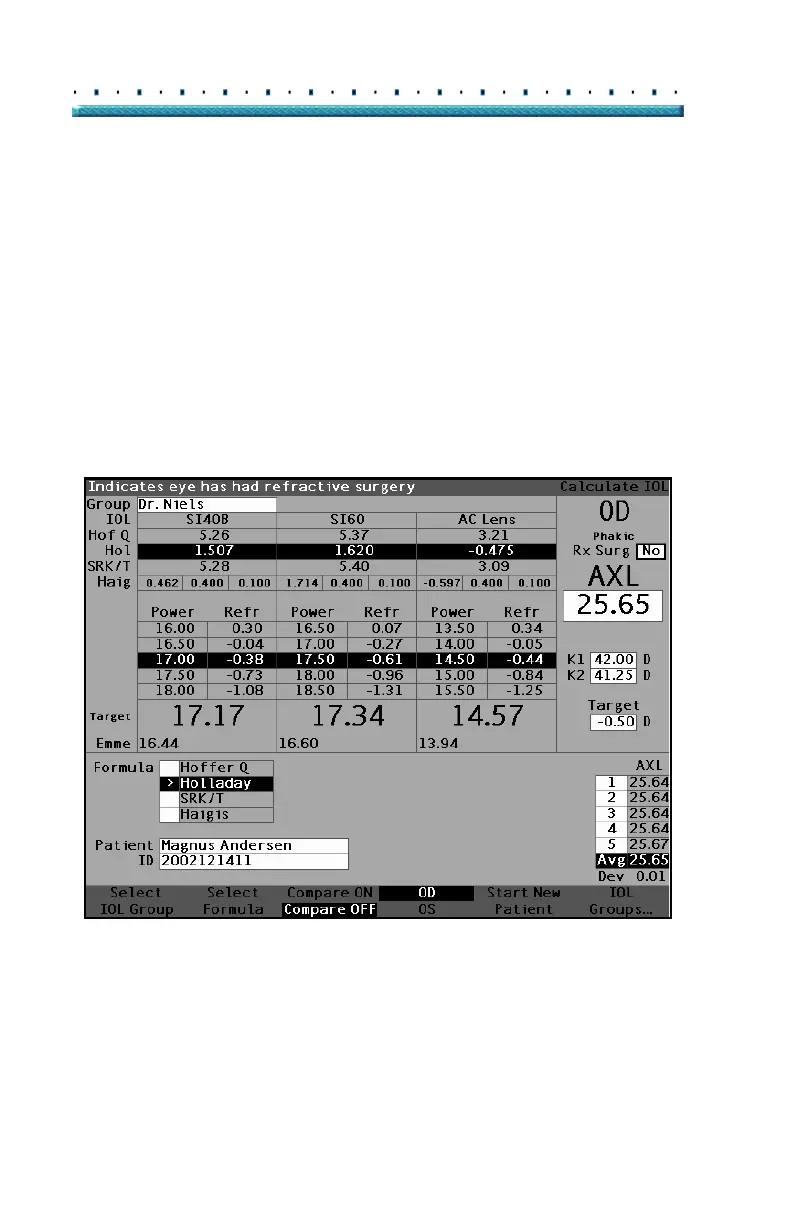
In Figure 140 below the Rx Surg field is selected. To
activate the Rx Surg field and change the field:
1. Rotate the knob to select the Rx Surg field and
press the knob or the
√ button to activate the field.
When the field is active either rotate the knob to
change "No" to "Yes".
2. Press the knob or the √ button to activate the Post
Surgery function.
Figure 140 Post Rx Surgery Field (Rx Surg) Selected
When the Rx Surg field is set to Yes, the K1/K2 fields are
replaced with Kpre and Kpost and the Kpost methods and
associated fields appear in the middle, bottom of the screen.
PLEASE NOTE: the Kpre field is an average of measured
K1and K2 prior to corneal refractive surgery.



 To Next Page