102
Accutome A-Scan Plus User’s Guide
How to Set the Serial Baud
The Accutome A-Scan Plus allows you to set the baud
rate at which data will be transmitted from the serial port
to the computer. The factory default baud is 38400. The
baud rates which you can select are:
9600 8-N-1
19200 8-N-1
38400 8-N-1
57600 8-N-1
115200 8-N-1
The "8-N-1" at the end of each baud rate indicates the
communication parameters; 1 start bit, 8 data bits, 1 stop
bit (no parity).
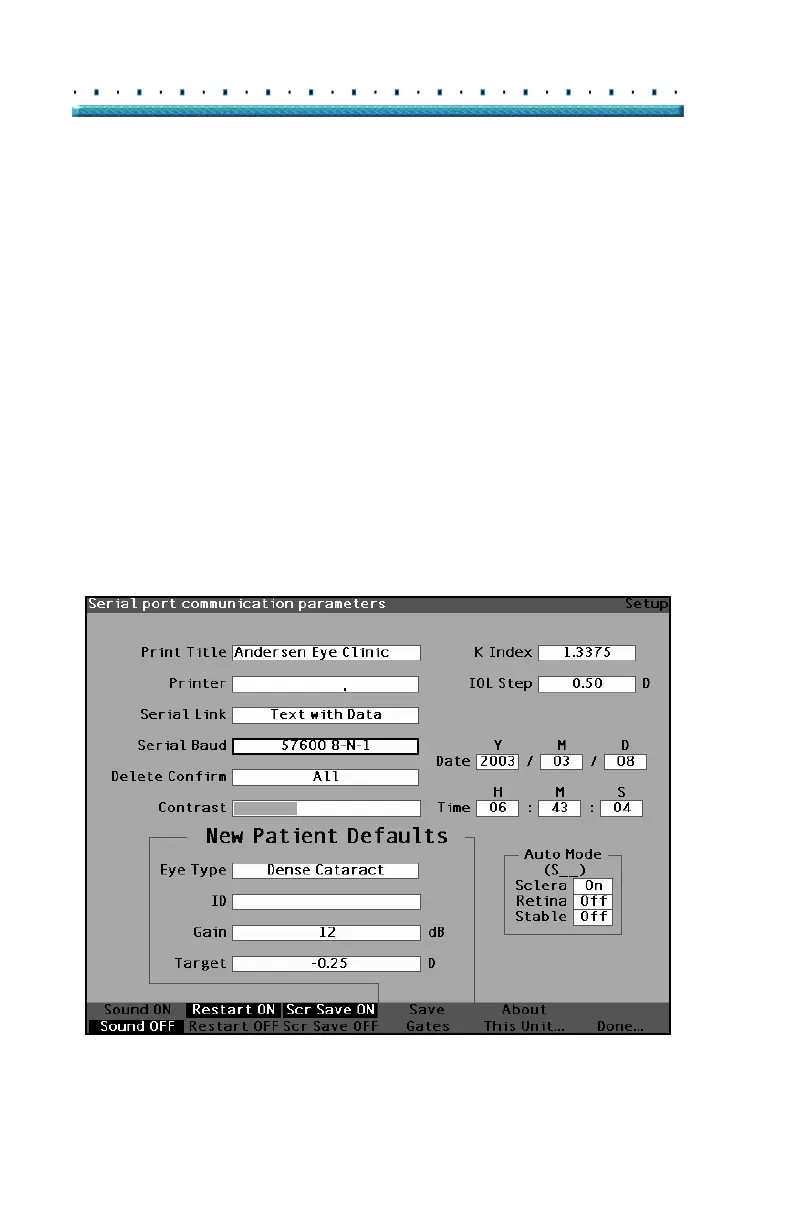
To set the Serial Baud:
1. Within the Setup Screen, rotate the knob to select
the Serial Baud field, indicated by a solid black
border.
HP LaserJet Compatible
Figure 65 Serial Baud Field Selected



 To Next Page