46
Accutome A-Scan Plus User’s Guide
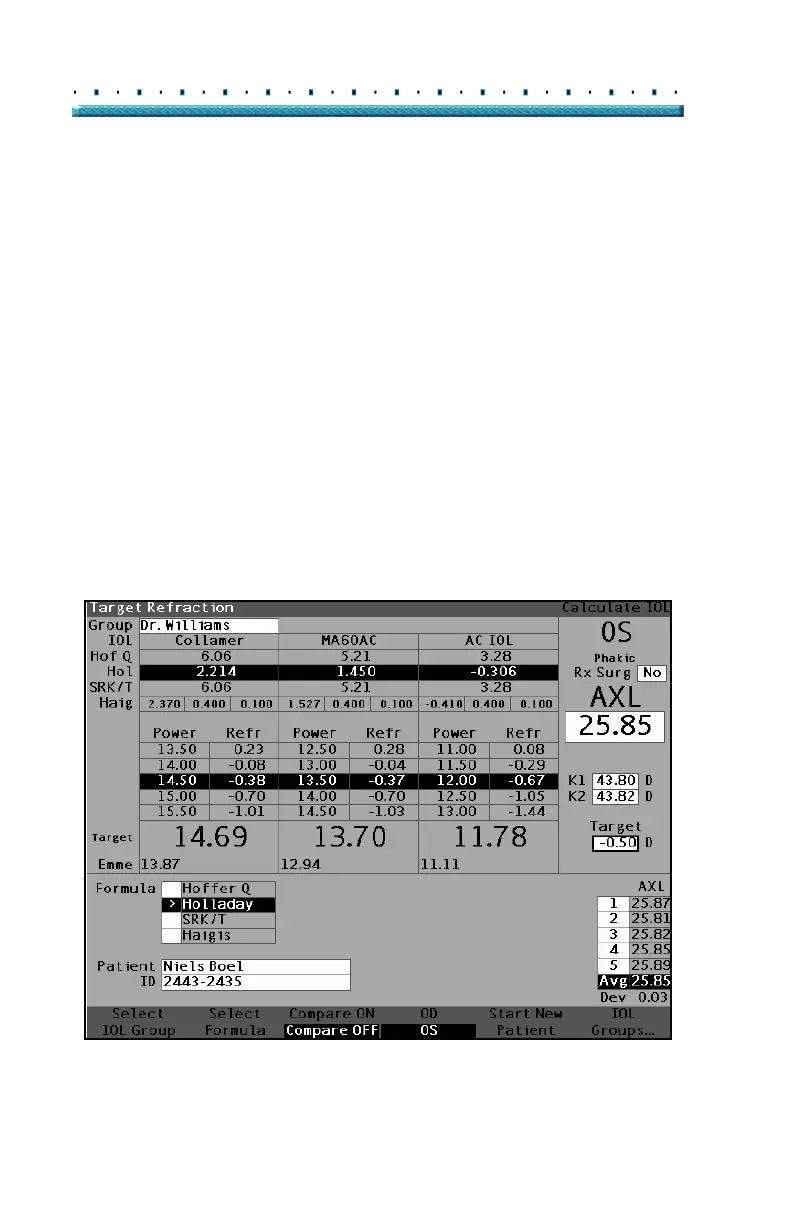
8. After entering the K1 and K2 values, the emme-
tropic power is calculated and displayed for each
IOL.
9. Enter the Ametropoic Target value in the desig-
nated area as shown in Figure 28 below. Rotate
the knob to select the Target field and press the
knob or the
√ button to activate the field. When
the field is active enter the Target value in Diopt
-
ers.
10. The Calculate IOL Screen will display the
ametropoic power of the lens, for each lens, with
the bold, large, black numbers. These values are
the optimal lens, and do not necessarily exist in the
real world. The Accutome A-Scan Plus also pro
-
vides you with the power of the IOL that would
achieve emmetropia. The emmetropic power is
calculated and displayed under the ametropoic
power in a smaller font.
Figure 28 Calculation Completed



 To Next Page