22
Accutome A-Scan Plus User’s Guide
Connecting the Power
There are two components to connect power to the
Accutome A-Scan Plus; there is a power supply which
regulates the voltage going to the instrument, and there
is a grounded power cable which connects from the
power supply to an outlet.
To connect the power:
1. Locate the grounded power cable and insert it into
the empty connector on the power supply.
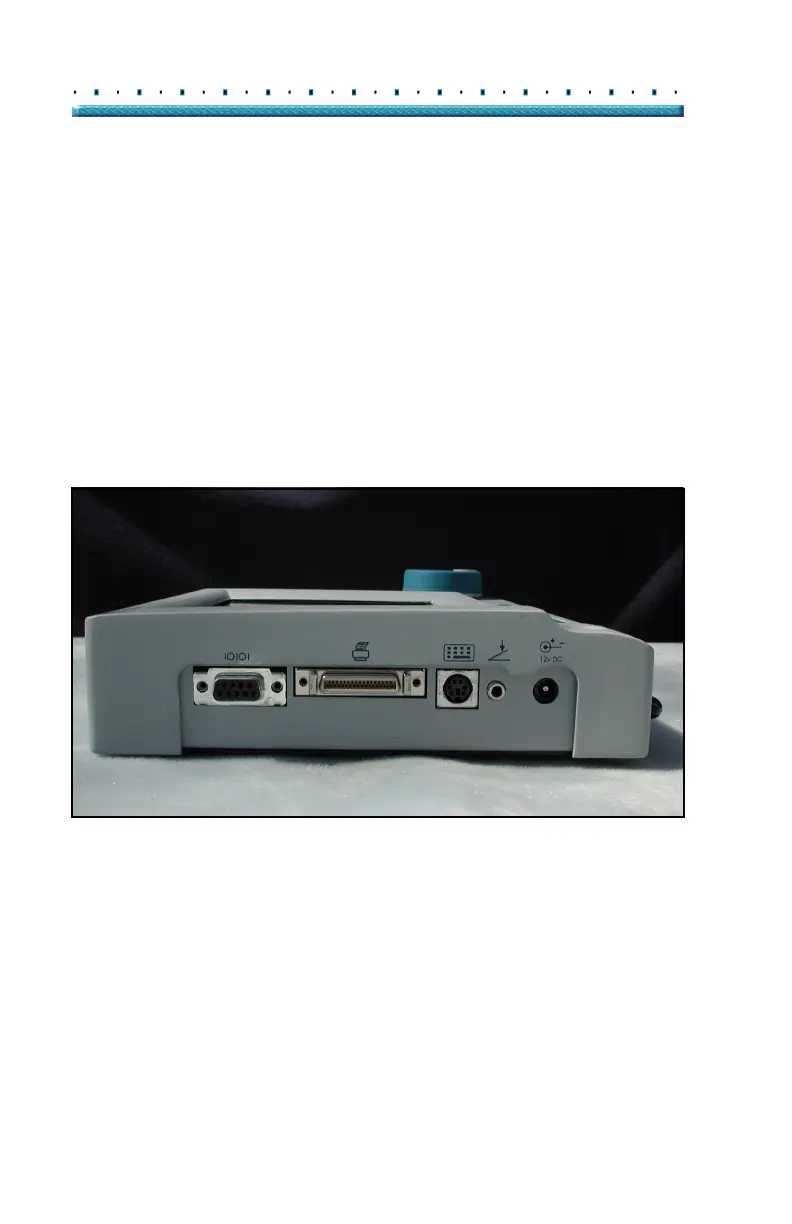
2. Locate the power connector, on the side, at the left
of the instrument (see
Figure 6 below).
3. Insert the power supply connector into the power
connector.
Printer
Keyboard
Foot
Power
Switch
Serial
Link
Figure 6 Component Connectors (Left Side of Instrument)



 To Next Page