124
Accutome A-Scan Plus User’s Guide
How to Set the Target Refraction
When you are calculating IOLs one of the values you
need to enter is the desired target refraction. The
Accutome A-Scan Plus allows you to specify the default
target refraction that is most common for patients. It is
also possible to modify the target refraction on a per
patient basis.
To set the Target Refraction:
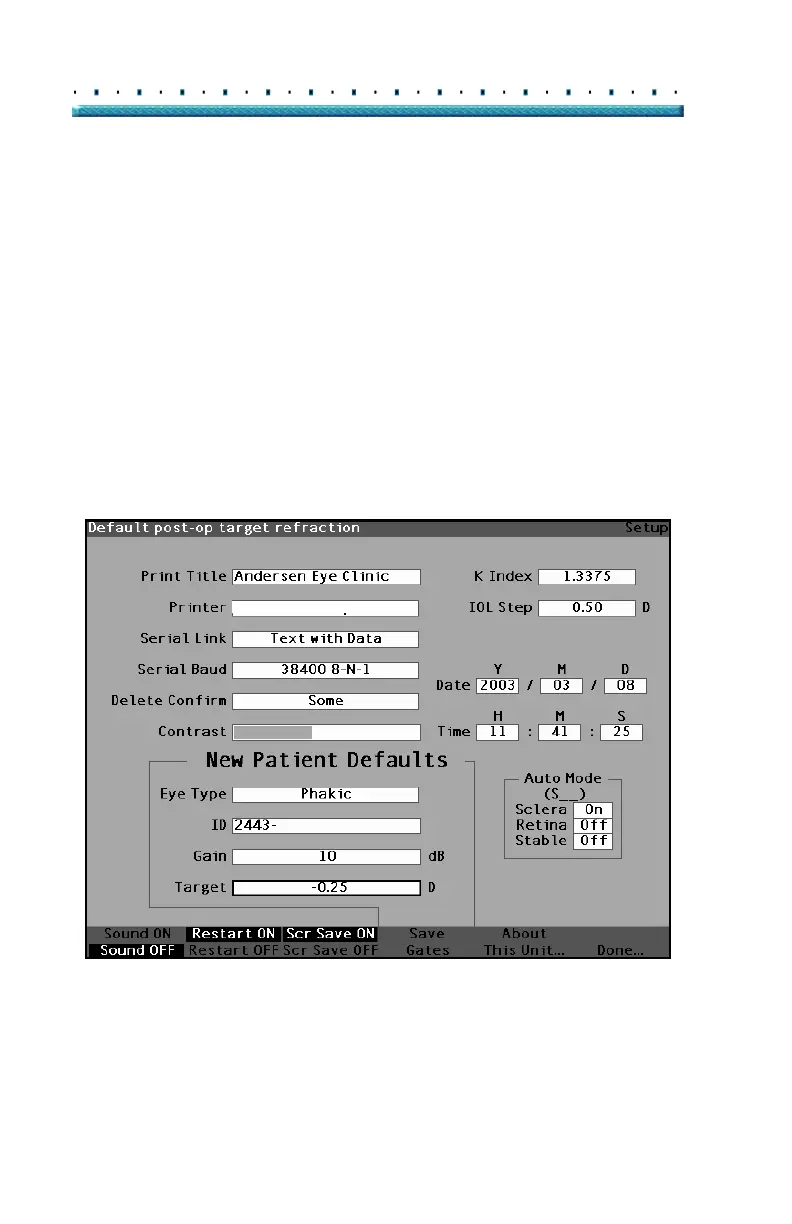
1. Within the Setup Screen, rotate the knob to select
the Target field of the New Patient Defaults, indi
-
cated by a solid black border.
HP LaserJet Compatible
Figure 87 Target Field Selected



 To Next Page