206
Accutome A-Scan Plus User’s Guide
Formula Compare Feature
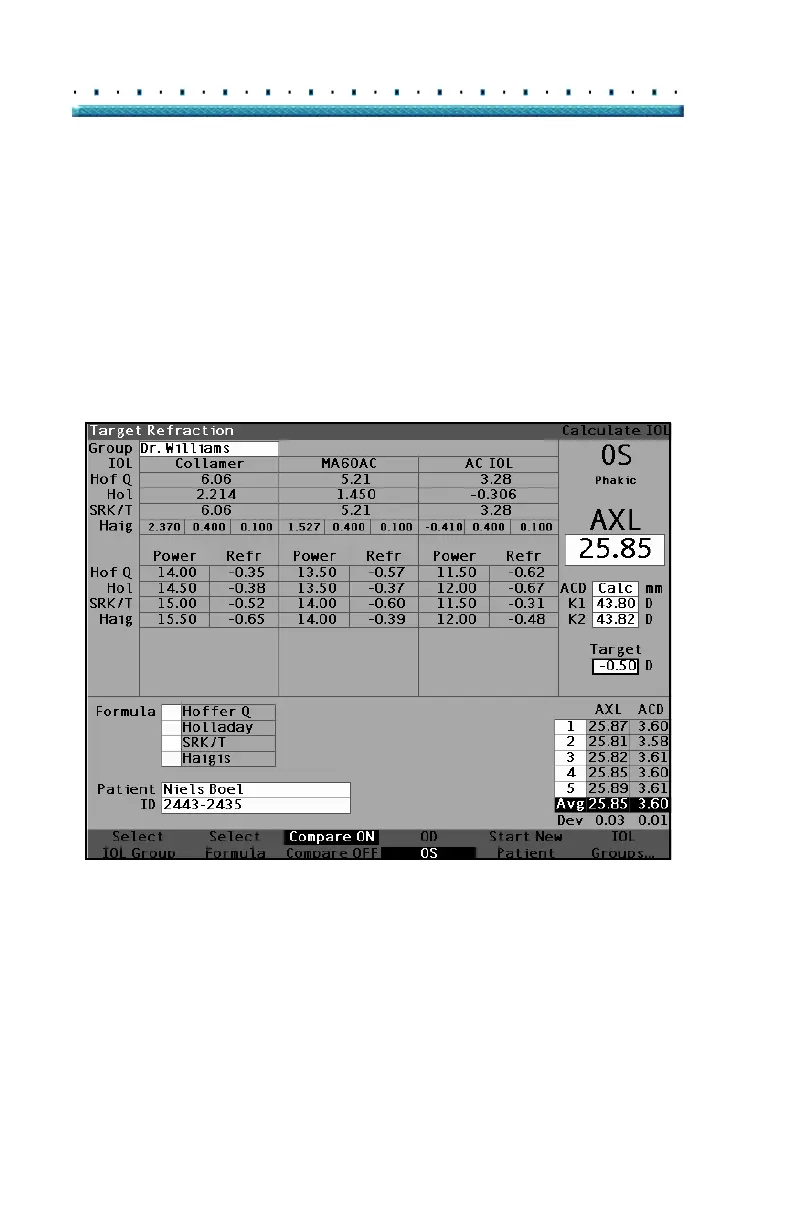
The Formula Compare feature allows the comparison of
all formulas for each calculation. When Compare is On it
displays the closest matching IOL power that will achieve
the target refraction with the expected postoperative
refraction as calculated by each formula.
To compare calculations for all formulas, press on the
button beneath "Compare On/Compare Off". This button
toggles between the two and will display the calculations
for one formula or all formulas as the button is toggled.
Figure 139 Compare On Selected
Switching Between OD/OS
To perform a calculation for the current Patient’s other
eye, press on the button beneath "OD/OS". This button
toggles between the two eyes and will display the
readings for either OD or OS as the button is switched.



 To Next Page