226
Accutome A-Scan Plus User’s Guide
How to
Personalize
Constants
The process of personalizing IOLs consists of:
Selecting IOL Groups and Lenses
Entering Postoperative Results
Updating the IOL Constants
All personalization of IOL Constants takes place at the
Personalize IOL Screen. The Personalize IOL Screen
can be accessed from the Calculate IOL Screen via the
IOL Groups Screen, or by pressing the Calculate button
twice. To access the Calculate IOL Screen, and
subsequently the IOL Groups screen, press the
Calculate button, located at the right side of the front
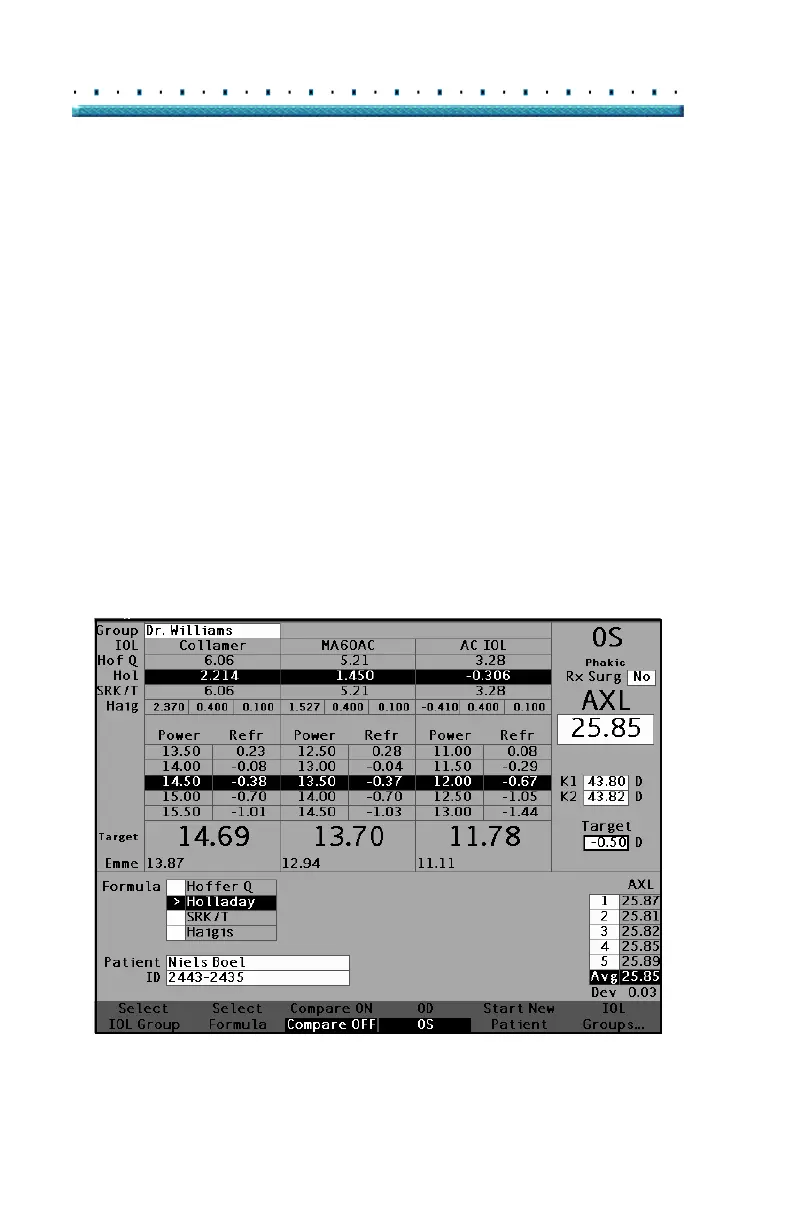
panel. The Calculate IOL Screen shown in
Figure 152
below will be displayed.
Accessing the Personalize IOLs Screen
Starting at the Calculate IOL Screen:
1. In the Calculate IOL Screen, press the button
beneath the selection "IOL Groups...". The IOL
Groups screen will be displayed.
Figure 152 Calculate IOL Screen - IOL Groups Selection



 To Next Page