78
Accutome A-Scan Plus User’s Guide
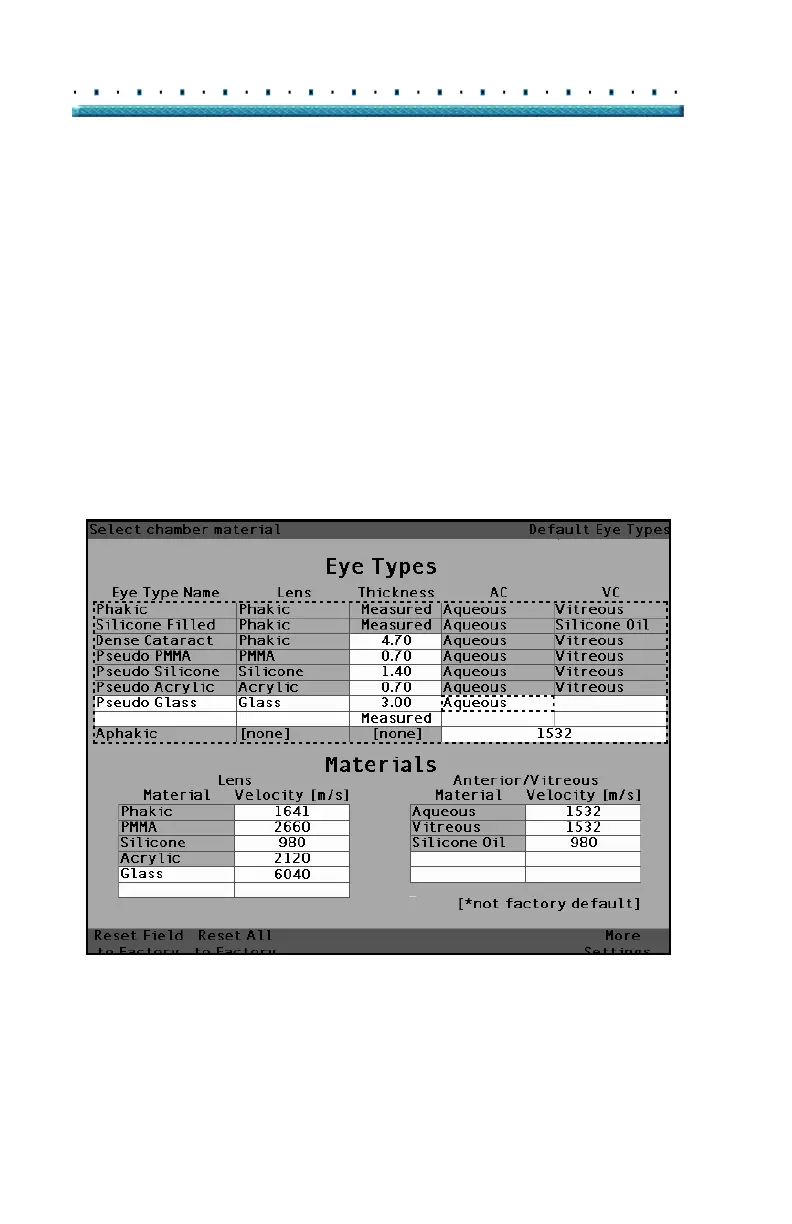
14. Within the Eye Types table, rotate the knob to
select the AC cell associated with the current Eye
Type Name, and Lens.
15. Press the knob or the √ button, to activate the cell,
indicated by the dashed border.
16. Within the AC cell, rotate the knob to select one of
the pre-entered Anterior Materials. (If you previ
-
ously added new anterior chamber materials, they
should appear in this list.)
17. Press the knob or the √ button, to save the
selected Anterior Material and to deactivate the
cell.
[All eye types include an assumed cornea]
Figure 44 Anterior Chamber Material Selected



 To Next Page