182
Accutome A-Scan Plus User’s Guide
How to Use
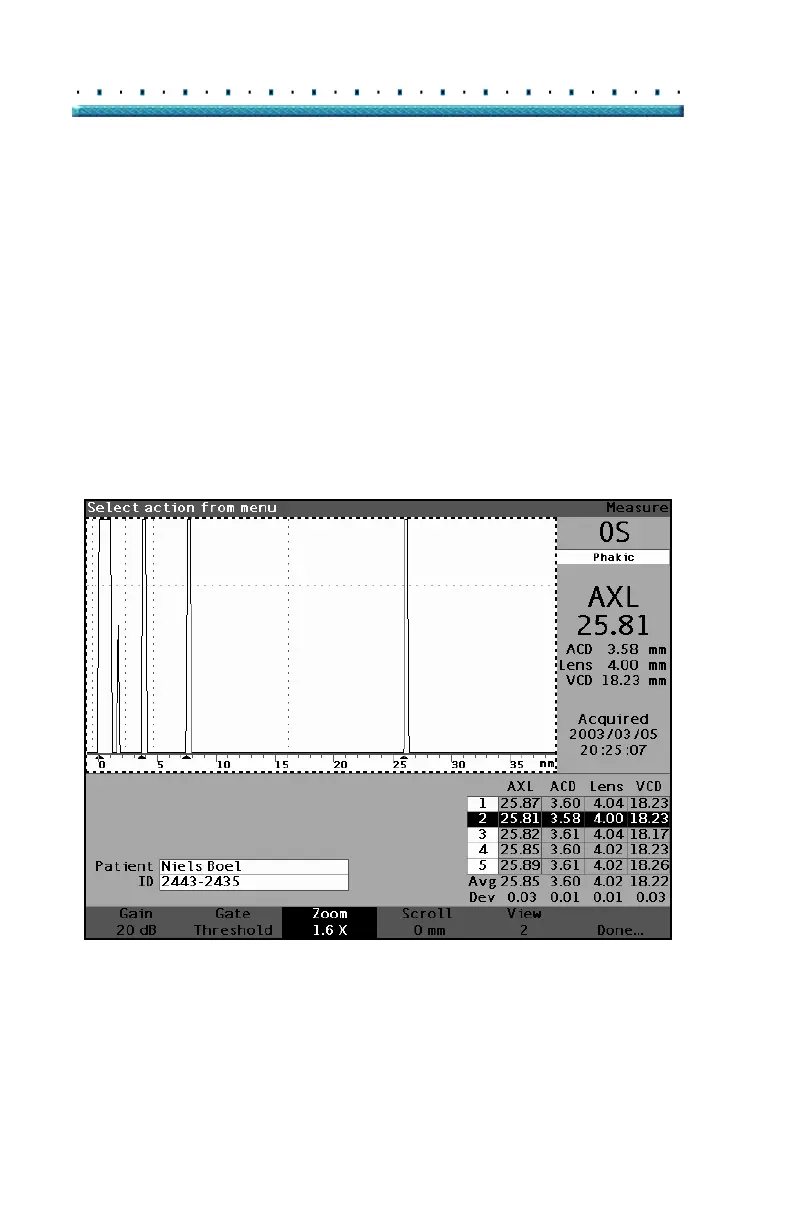
Zoom
The zoom feature allows you to zoom in on a selected
waveform. The height of the waveform remains the
same, only the width changes. Zoom expands the
distance scale. The waveform must be selected and
active to display the waveform Review menu. Zoom can
be useful if you are having difficulty detecting all the
events in a reading, or if you are scanning an abnormal
eye type. Zoom has eight preset values of multiplication;
8.0, 4.0, 2.7, 2.0, 1.6, 1.3, 1.1, and 1.0. Zoom value of
1.6 is typical setting.
To use the Zoom feature:
1. Press the button beneath the "Zoom" selection.
Figure 125 Zoom Selected



 To Next Page