140
Accutome A-Scan Plus User’s Guide
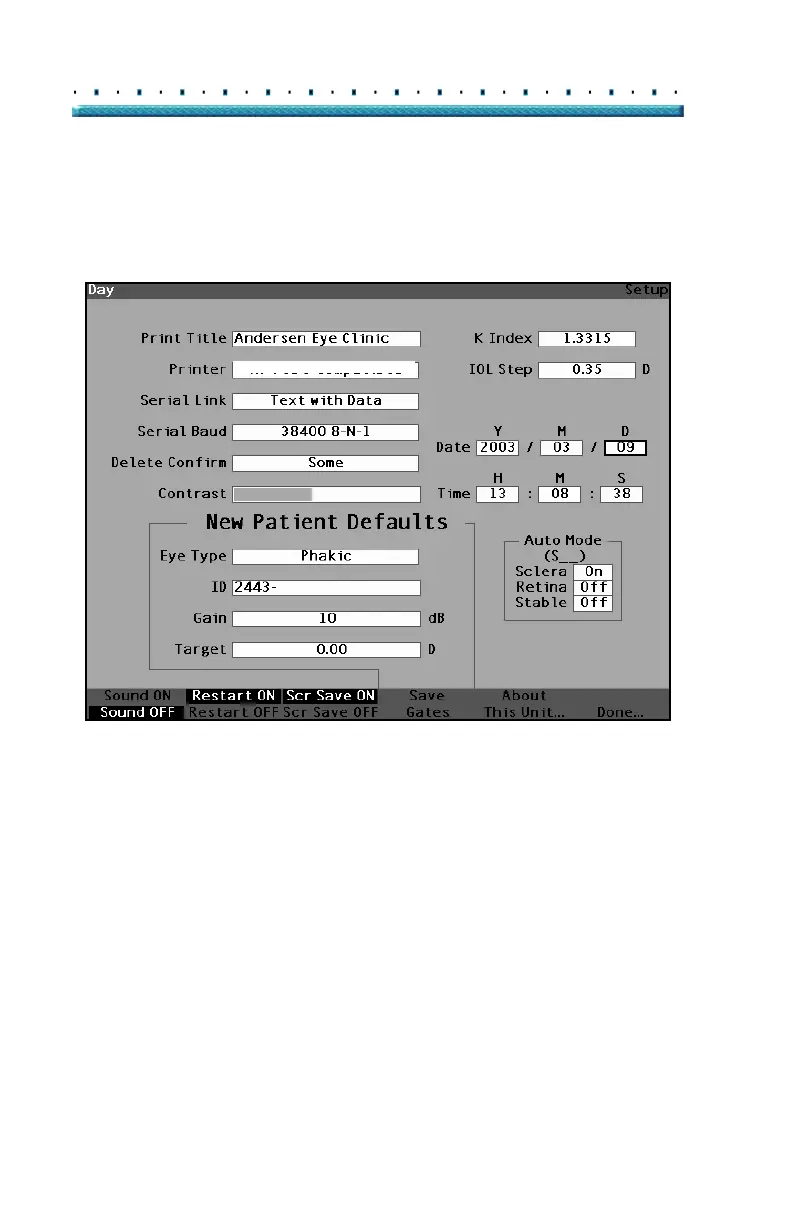
4. Press the knob or the √ button, to save the
adjusted Day and to deactivate the field.
HP LaserJet Compatible
Figure 102 Day Adjusted
5. If necessary, adjust the Month (M) and Day (D)
fields of the date in the same manner.
6. If necessary, adjust the Hour (H), Minute (M), and
Seconds (S) fields of the time in the same manner.



 To Next Page