73
Preferences How to Add a New Eye Type
Adding the New Eye Type Information
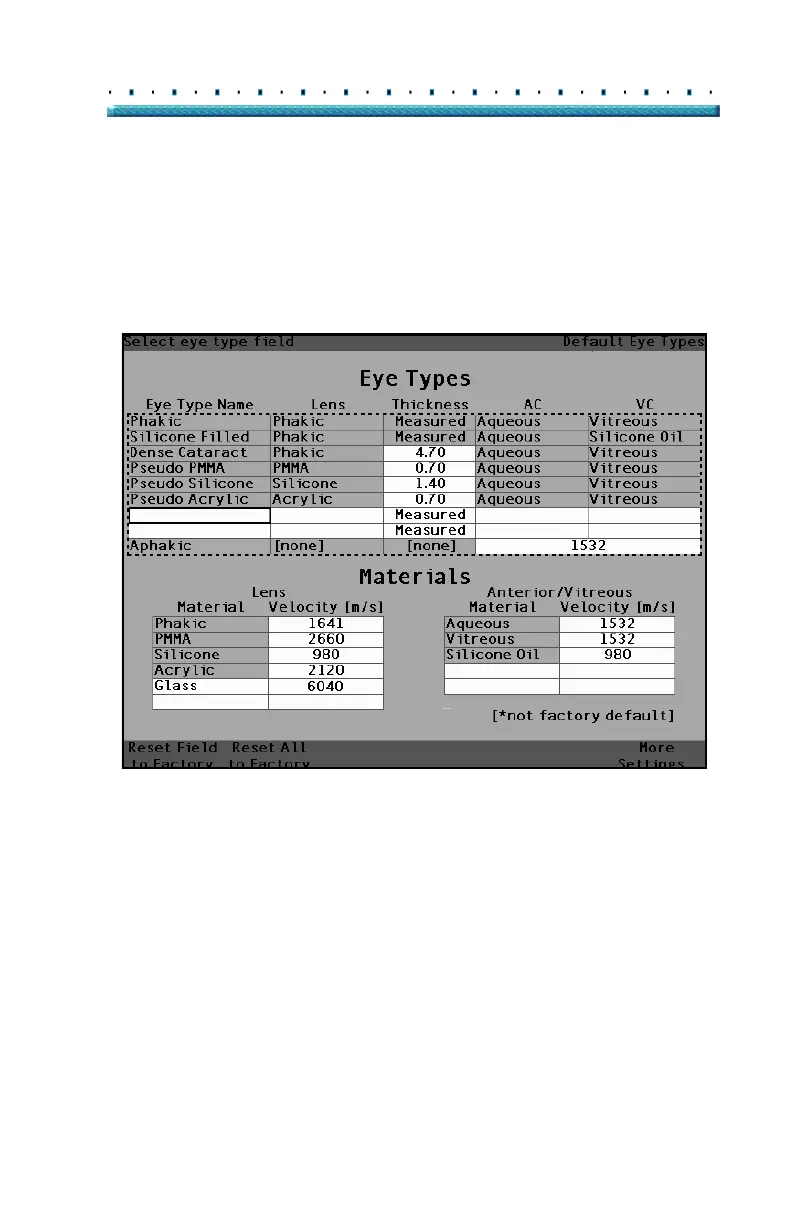
1. Rotate the knob and select the Eye Types table.
2. Press the knob or the √ button, to activate the Eye
Types table.
3. Within the Eye Types table, rotate the knob to
select an empty cell, indicated by a solid black
border, for entering the new eye type name.
[All eye types include an assumed cornea]
Figure 39 Selecting the Eye Type Name Cell



 To Next Page