211
Performing Calculations Calculate IOL Screen
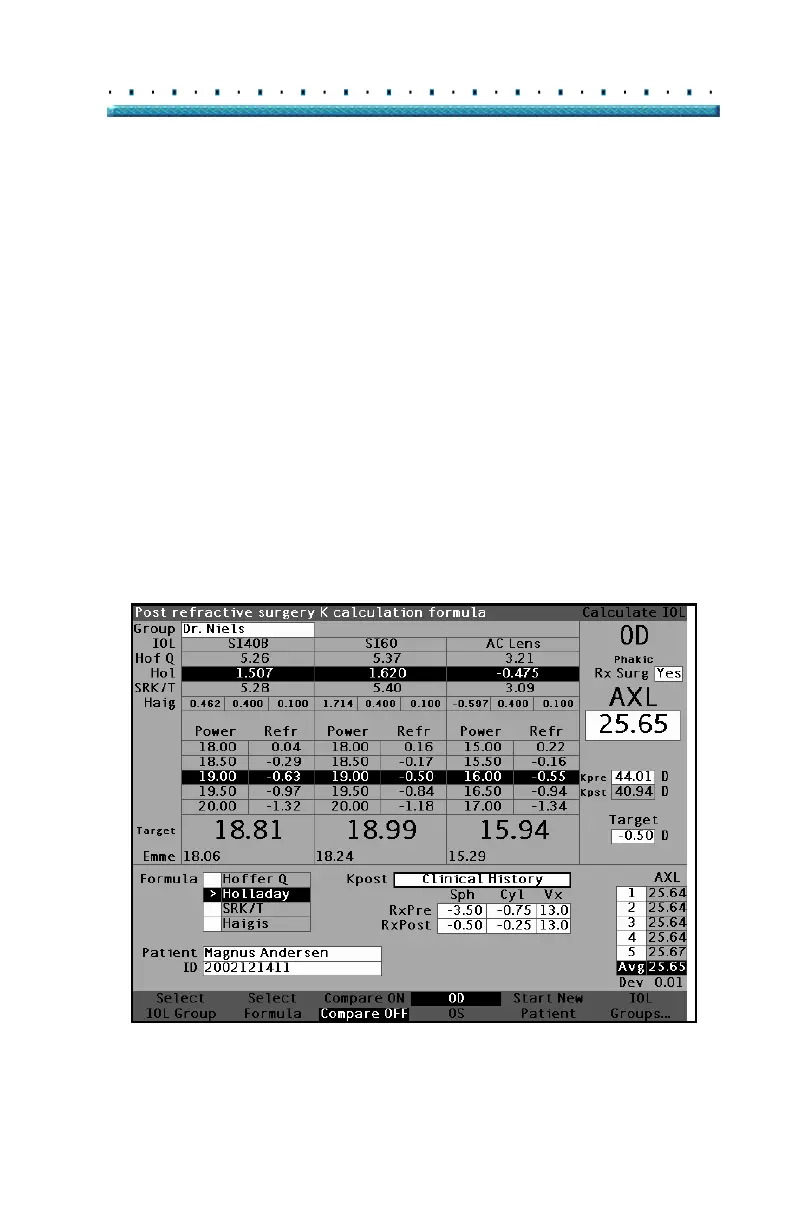
Clinical History Method
When using the Clinical History method, the default and
preferred method, the Calculate IOL screen displays
Kpre and Kpost fields and all fields associated with the
Clinical History method.
Clinical History Fields
When using the Clinical History method for post
refractive surgery IOL calculations you must enter the
value in the following fields:
Kpre - the average K value before refractive
surgery
Sphere and Cylinder before refractive surgery
and the current refraction
1. Rotate the knob to select each field and press the
knob or the
√ button to activate the field. When
the field is active either rotate the knob to change
the value or manually enter the value with the key
-
board.
Figure 141 Post Rx Surgery Calculation Activated - Clinical History



 To Next Page