164
Accutome A-Scan Plus User’s Guide
How to Select
a Measure
-
ment
After you have taken measurements you may want to go
back and review one of the captured waveforms. There
are two ways to select a previous measurement; using
the knob and button, or by using the foot switch.
Selecting a Measurement with the Knob
To select a measurement using the knob:
1. Within the Measurement Screen, rotate the knob
to select the measurements table located at the
bottom right corner of the screen. Selection is indi
-
cated by a solid black border.
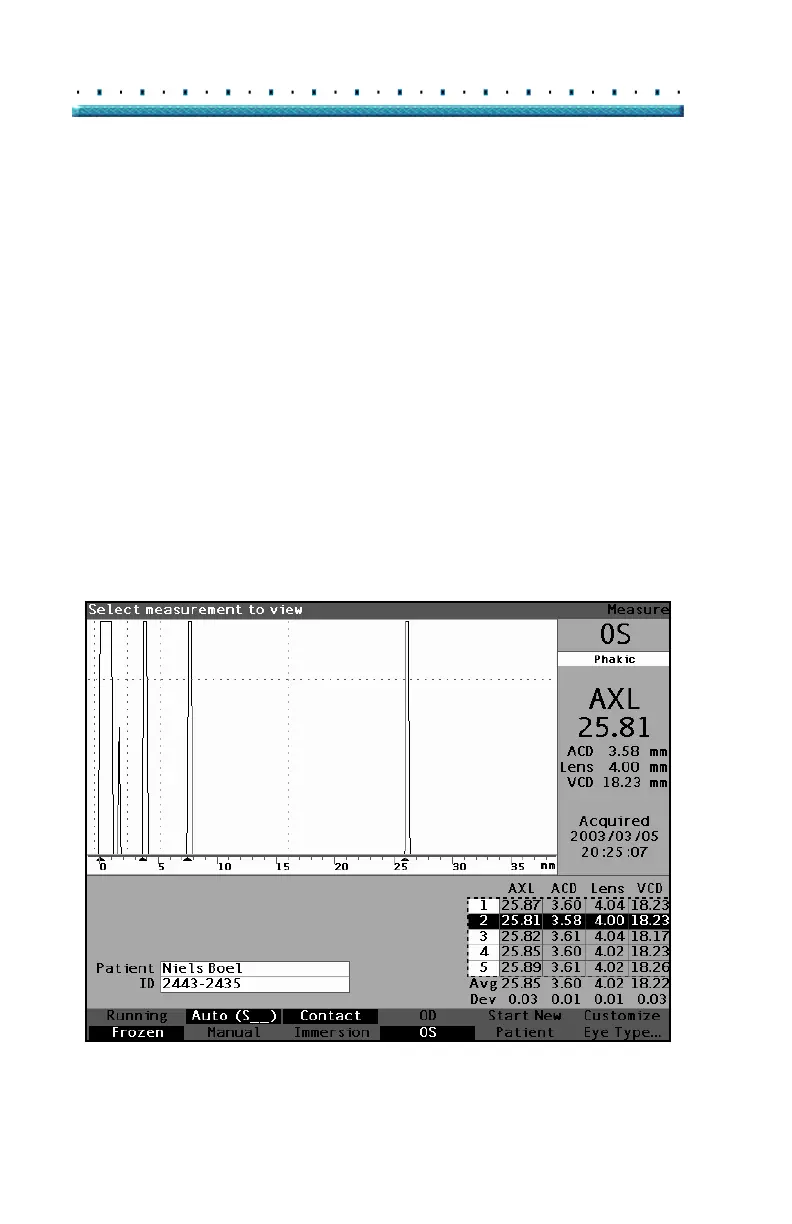
2. Press the knob or the √ button, to activate the
table, indicated by the dashed border. (See
Figure
114.)
3. Within the measurements table, rotate the knob to
scroll through the list of measurements. You can
also just press the number (1 - 5) of the measure
-
ment on the keyboard. The measurement outlined
with white text against a black background is the
active measurement.
Figure 114 Measurement Selected



 To Next Page