76
Accutome A-Scan Plus User’s Guide
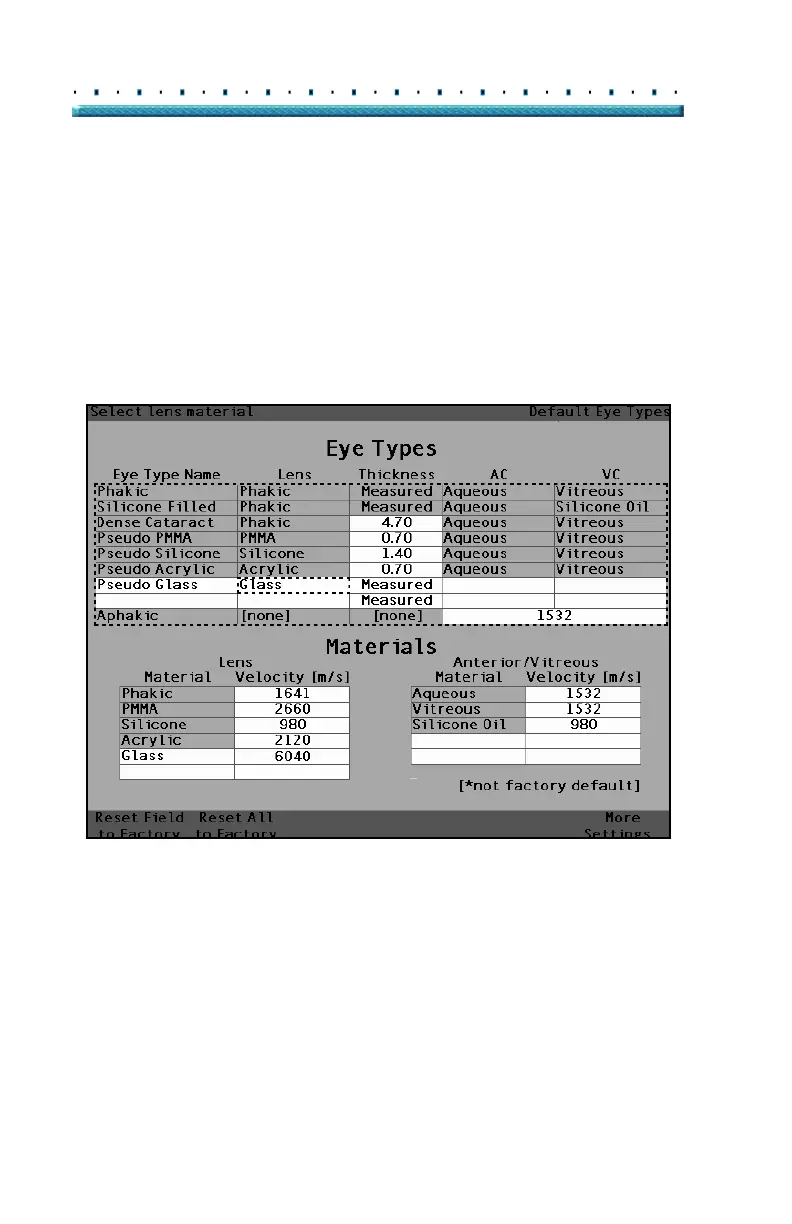
8. Within the Lens cell, rotate the knob to select one
of the pre-entered Lens Materials. In the example
below, Glass is the newly added and selected lens
material. (If you previously added new lens mate
-
rials, they should appear in this list.)
9. Press the knob or the √ button, to save the Lens
Material and to deactivate the cell.
[All eye types include an assumed cornea]
Figure 42 Lens Material Selected



 To Next Page