106
Accutome A-Scan Plus User’s Guide
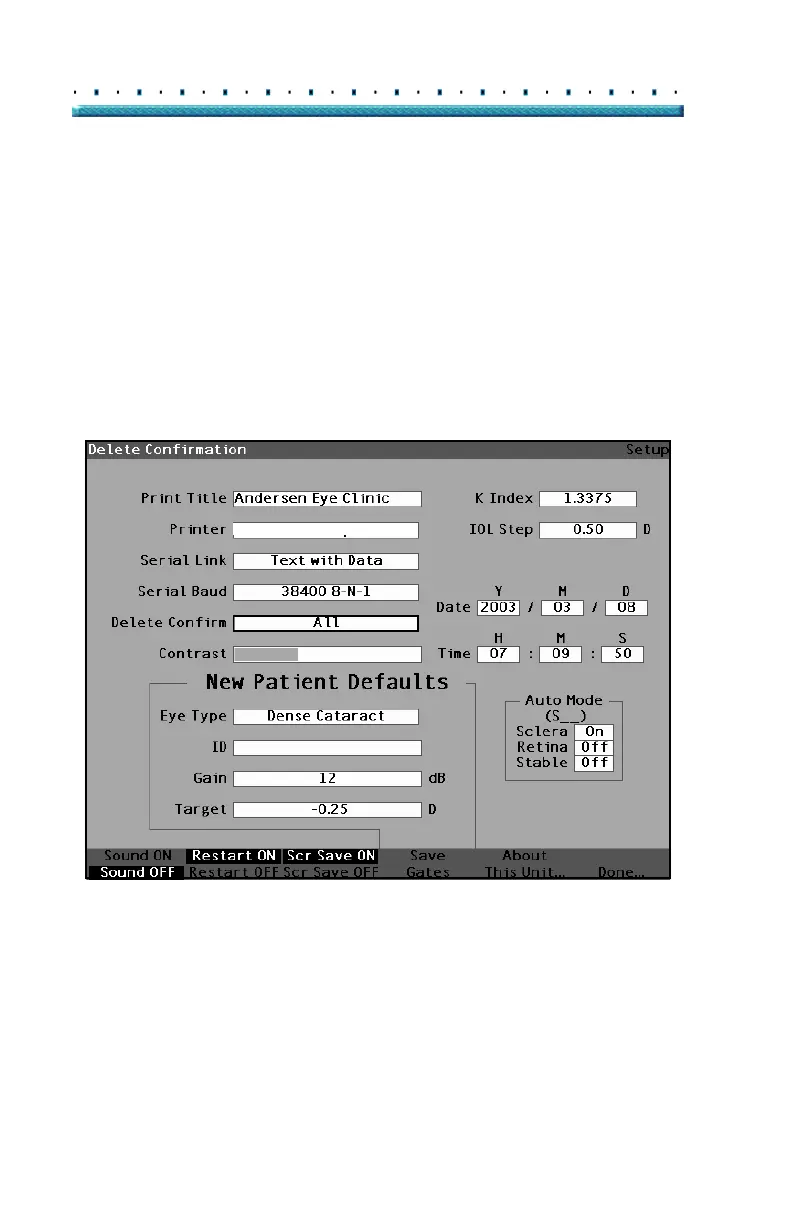
How to Set Delete Confirm
The Delete Confirm field allows you to set the times that
the Accutome A-Scan Plus will cue you when you are
going to delete a Patient record, an IOL, or any other
stored information. In other words, when you are going
to delete something, the Accutome A-Scan Plus will
require you, or not require you to confirm the deletion.
To set the Delete Confirm field:
1. Within the Setup Screen, rotate the knob to select
the Delete Confirm field, indicated by a solid black
border.
HP LaserJet Compatible
Figure 69 Delete Confirm Field Selected



 To Next Page