67
Preferences How to Access Preferences
Top Level of Preferences
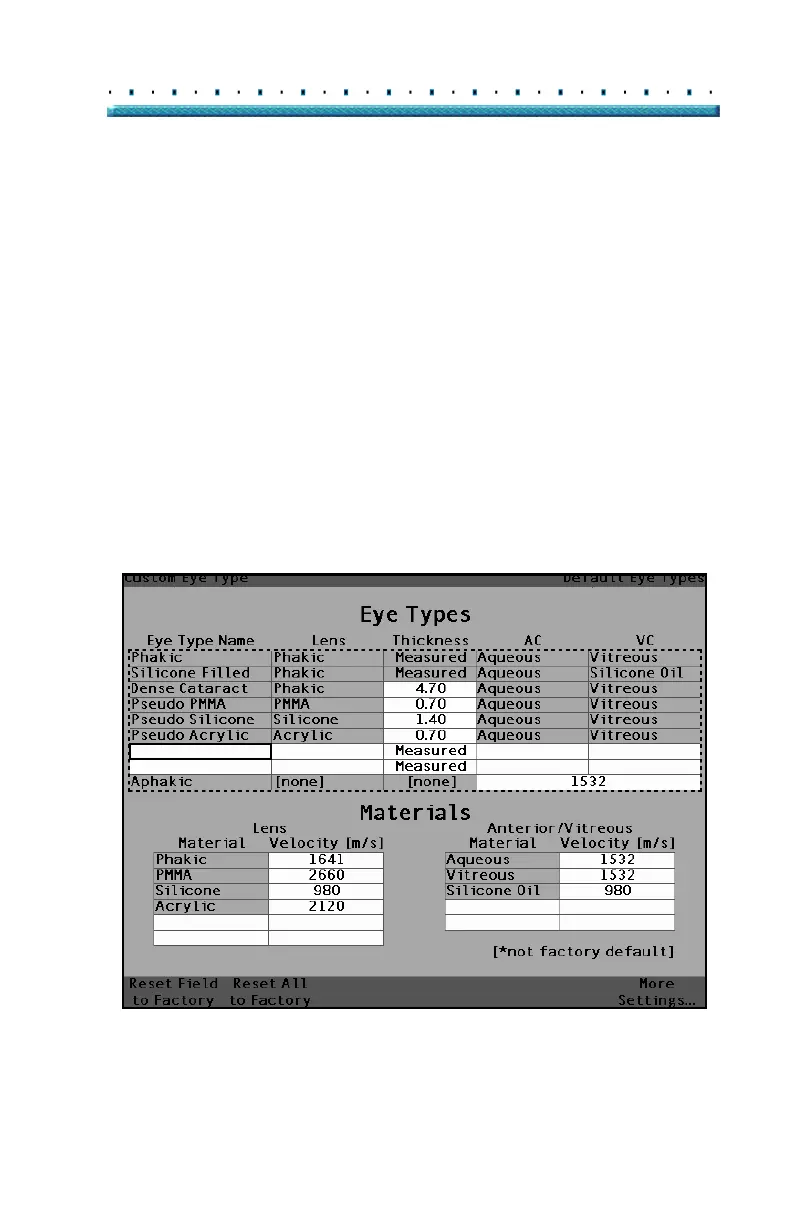
When you press the Preferences button the Accutome
A-Scan Plus will display the Eye Types screen (see
Figure 34 below). In the Eye Types screen you can add
a new Eye Type, new lens material, new Anterior/
Vitreous material and assign velocities to each of these
materials.
The Eye Types screen also has the following soft menu
selections activated by buttons beneath the selection:
Reset Field to Factory - resets the current field
to the factory default.
Reset All to Factory - resets all fields to the
factory defaults. Fields labeled with * will be
reset.
More Settings... - displays the Setup screen.
[All eye types include an assumed cornea]
Figure 34 Eye Types Screen



 To Next Page