114
Accutome A-Scan Plus User’s Guide
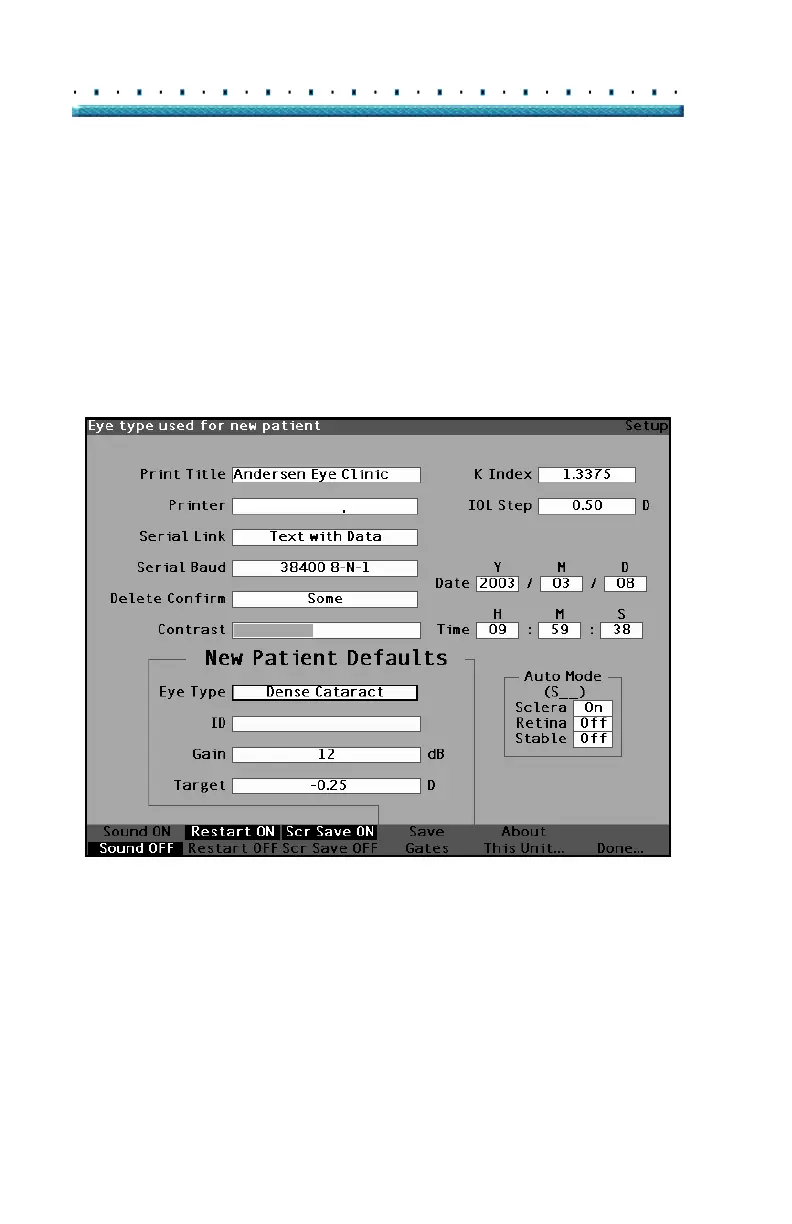
How to Set the Default Patient Eye Type
The Accutome A-Scan Plus has a default eye type
setting so that every time you start a new patient you do
not have to select an eye type. When you start a new
patient the eye type displayed on the Measure Screen
will be the default eye type selected in the Setup Screen.
To change the default eye type:
1. Within the Setup Screen, rotate the knob to select
the Default Eye Type field, indicated by a solid
black border.
HP LaserJet Compatible
Figure 77 Default Eye Type Field Selected



 To Next Page