Chapter 3 Spectrum Analysis Operation
Viewing the spectrum analysis mode parameters
9102 Handheld Spectrum Analyzer Software version 5.31
79
Changing general
analyzer parameters
For the channel power, ACPR and OBW measurements within the spec-
trum
analysis mode, the general settings such as center frequency, span,
resolution bandwidth, can be changed as usual. A single-button
approach to adjusting span, resolution bandwidth, video bandwidth,
detector and trace mode is described below.
1 From the Spectrum Analysis main menu, select
Measure.
2Press
Adjust Settings.
Resolution bandwidth and video bandwidth are automatically set to
optimum values (automatic mode). The trace detector is set to
sample and the trace mode is set to actual.
If channel power measurements are selected, the span is set to
120% of the selected channel width. For ACPR measurements, the
span is adjusted to 1.2 channel width + 2 channel spacing. The
OBW span is three times the channel width.
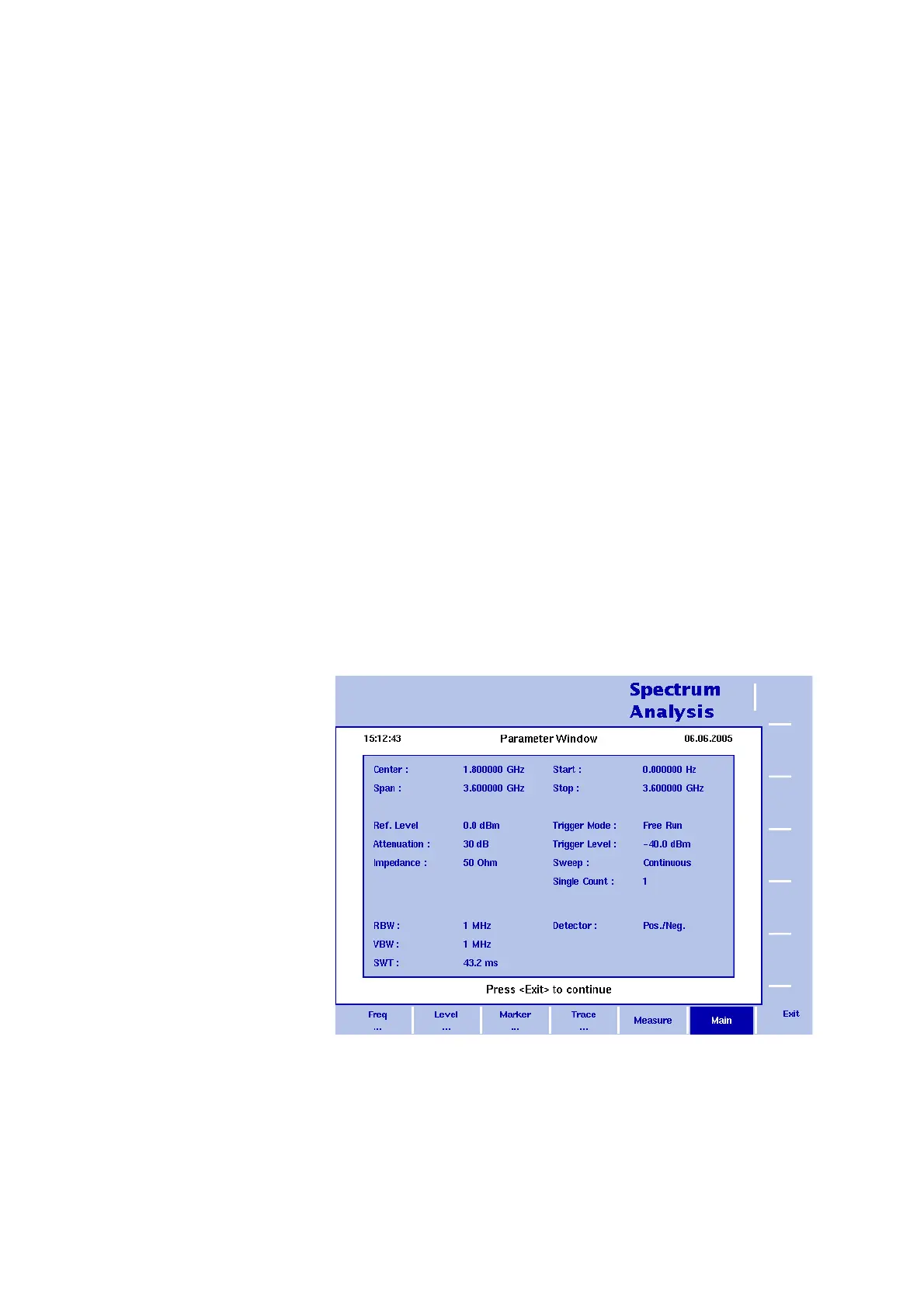
Viewing the spectrum analysis mode parameters
You can get an overview of all parameters set for this mode in the
Parameter Window. To view the parameters, press the P
ARAM function
key. To close the Parameter Window and return to the menu you
opened it from, press the E
SCAPE function key, the Exit softkey or the
P
ARAM function key. To close the parameter page and change to the
relevant main menu press the
Main softkey.
Figure 23 Spectrum analysis mode parameters



 To Next Page