Chapter 2 General Operation
Checking general settings
9102 Handheld Spectrum Analyzer Software version 5.31
43
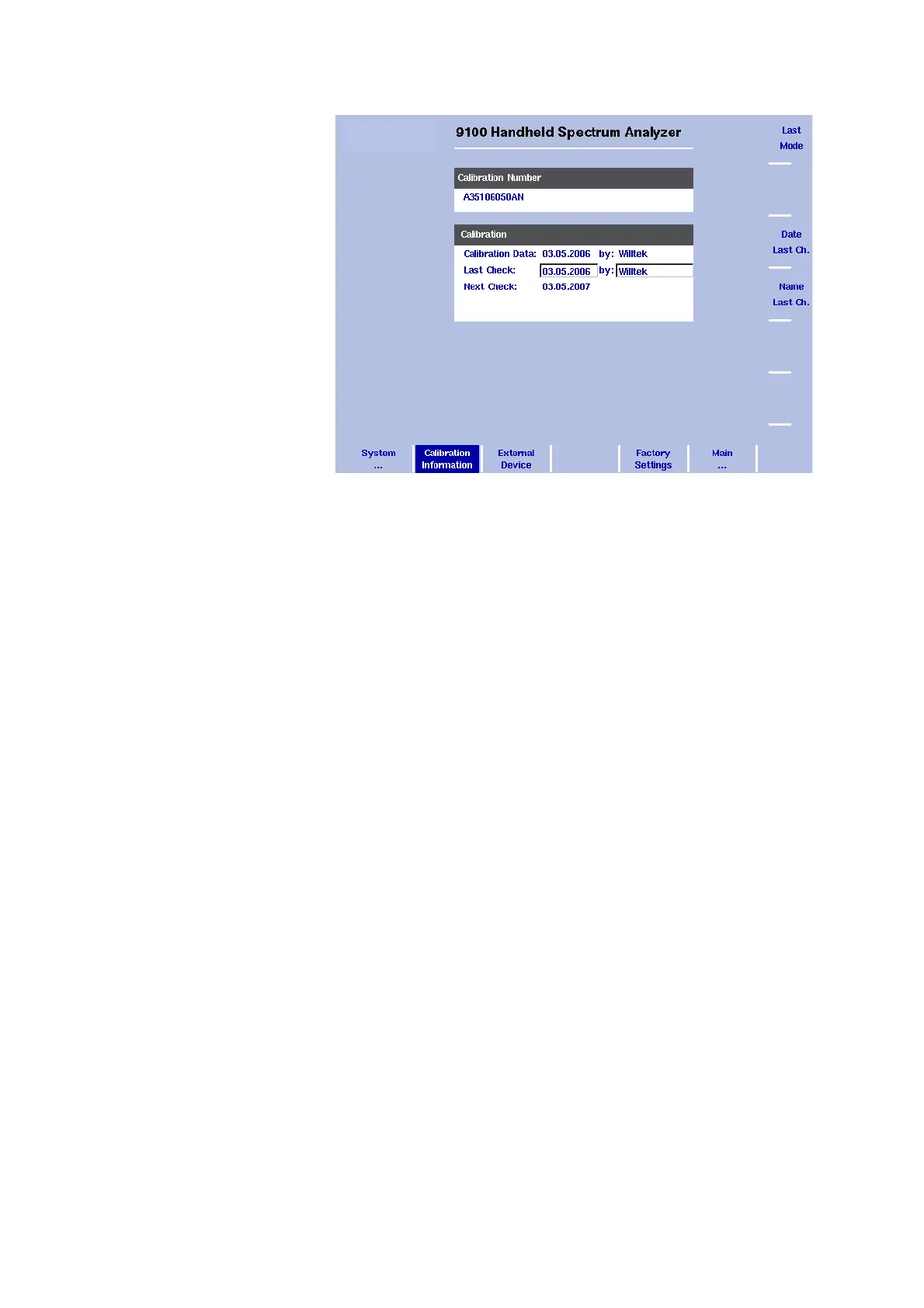
1 Here the calibration details for the instrument are displayed.
The Calibration Number area shows the calibration number.
The first line of the Calibration area indicates the date of the last
calibration and the organization calibrating the 9102.
The second line indicates when and by whom the calibration has
been checked last.
The third line indicates when the next calibration is due. This date is
typically one year after the last calibration.
2 Push the
Date Last Check softkey to change the last check date. It
will be set to the actual date as set by the built-in real-time clock.
3 Push the
Name Last Check softkey to enter the name of the person
that carried out the last calibration date review.
Checking installed
options
Aeroflex provides different application programs and options for the
9102 Handheld Spectrum Analyzer. These may or may not be active on
your instrument. To check which options are actually installed on your
9102, take the following steps:
1 Press the M
ODE function key followed by the System softkey.
The System Information menu appears.
2 Select
Options.
The Options menu appears, indicating the installed options in bold
print with a tick in front; the options not installed are shown in grey.
Figure 9 Calibration Information menu



 To Next Page