Chapter 2 General Operation
Powering up the unit
9102 Handheld Spectrum Analyzer Software version 5.31
17
Powering up the unit
The 9102 is switched on and off using the power switch located at the
top of the instrument. It takes about 55 seconds for the 9102 to load
and start its software.
Starting measurements
The 9102 starts measuring and displaying results automatically after
powering the instrument. It starts in the measurement mode last active.
Using the front panel
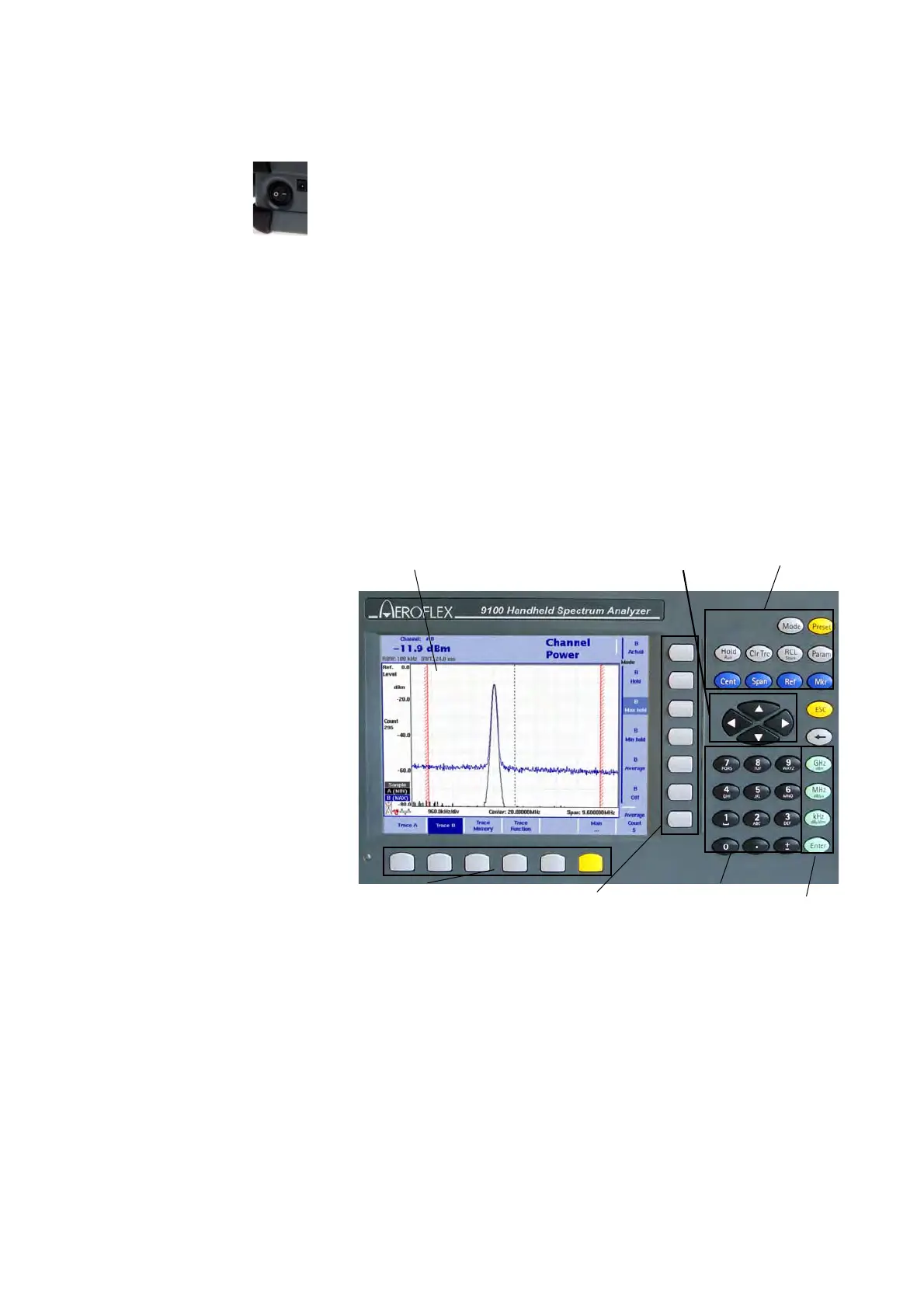
Overview The front panel is divided into different sections as follows:
Battery status LED This LED has different states:
– The LED lights green when the 9102 is being operated from its
battery and no external power is supplied.
– The LED lights yellow when the battery is connected to an external
power supply and being loaded.
– The LED is off when the loading procedure is completed, the
battery is fully loaded or when there is no battery in the 9100’s
battery compartment.
Figure 3 Front panel elements
display
cursor keys
function keys
horizontal (menu) softkeys
vertical (function) softkeys
numeric keys
enter keys



 To Next Page