Chapter 3 Spectrum Analysis Operation
Selecting the measurement mode
56 9102 Handheld Spectrum Analyzer Software version 5.31
Selecting the measurement mode
The 9102 provides different measurement modes. To select spectrum
analysis mode, proceed as follows:
1 Push the M
ODE function key.
The Mode menu appears.
2 Select
Spectrum Analysis.
The Spectrum Analysis main menu appears.
Changing the frequency settings
There are different methods to set the frequency range to be
measured; the range can be expressed by either the start and stop
frequencies (i.e. first and last frequencies on the display), or by center
frequency and span (i.e. the center and the frequency range), or by
other combinations of center frequency, span, start and stop frequen-
cies.
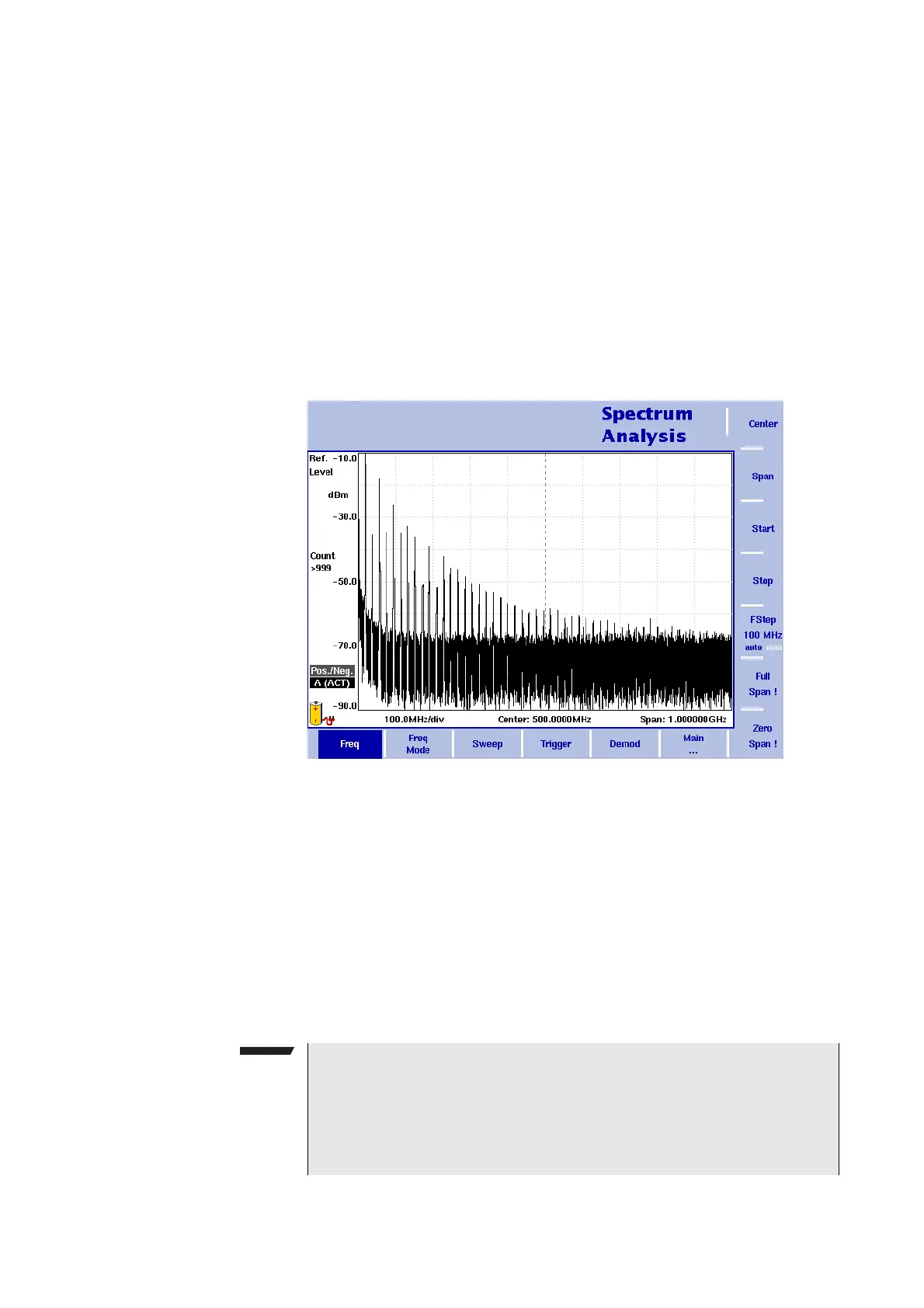
All four parameters are accessible in the
Freq menu. On the main
menu, however, only one of the combinations mentioned above is
shown, depending on the parameter last entered.
Figure 16 Frequency menu
NOTE
Changing a frequency parameter may affect an associated parame-
ter.
Example: If you change the span to the maximum of 4 GHz (without
the frequency extension being installed), the start and stop frequen-
cies are changed to 0 and 4 GHz, respectively.



 To Next Page