Chapter 15 9100 Data Exchange Software
Loading measurement results from the 9102
230 9102 Handheld Spectrum Analyzer Software version 5.31
3 In the View frame select Open new trace window, if you want to
display the live trace in a separate new window. If you want to over-
write the active trace, select
Overwrite active trace window.
4 If you intend to save the live trace in a file on completion of the live
trace update process, select
Save as in the Save frame. Now the
Save fields are activated enabling you to select a directory, a file
name and the file type for saving your trace on your PC. You can
save the traces as *.9tm or graphic files (e.g. *.bmp, *.jpg etc.). For
further details on saving traces on your PC refer to “Saving, loading
and printing results on the PC” on page 231.
Transferring a saved
trace to the PC
To load the data saved in the 9102 proceed as follows:
1 On the 9102, save the desired measurements in trace files.
2 Connect the PC to the 9102 as described on page 226.
3 In the 9100 Data Exchange Software, select
Instrument > Get Trace,
or press
Ctrl+G, or click on the icon:
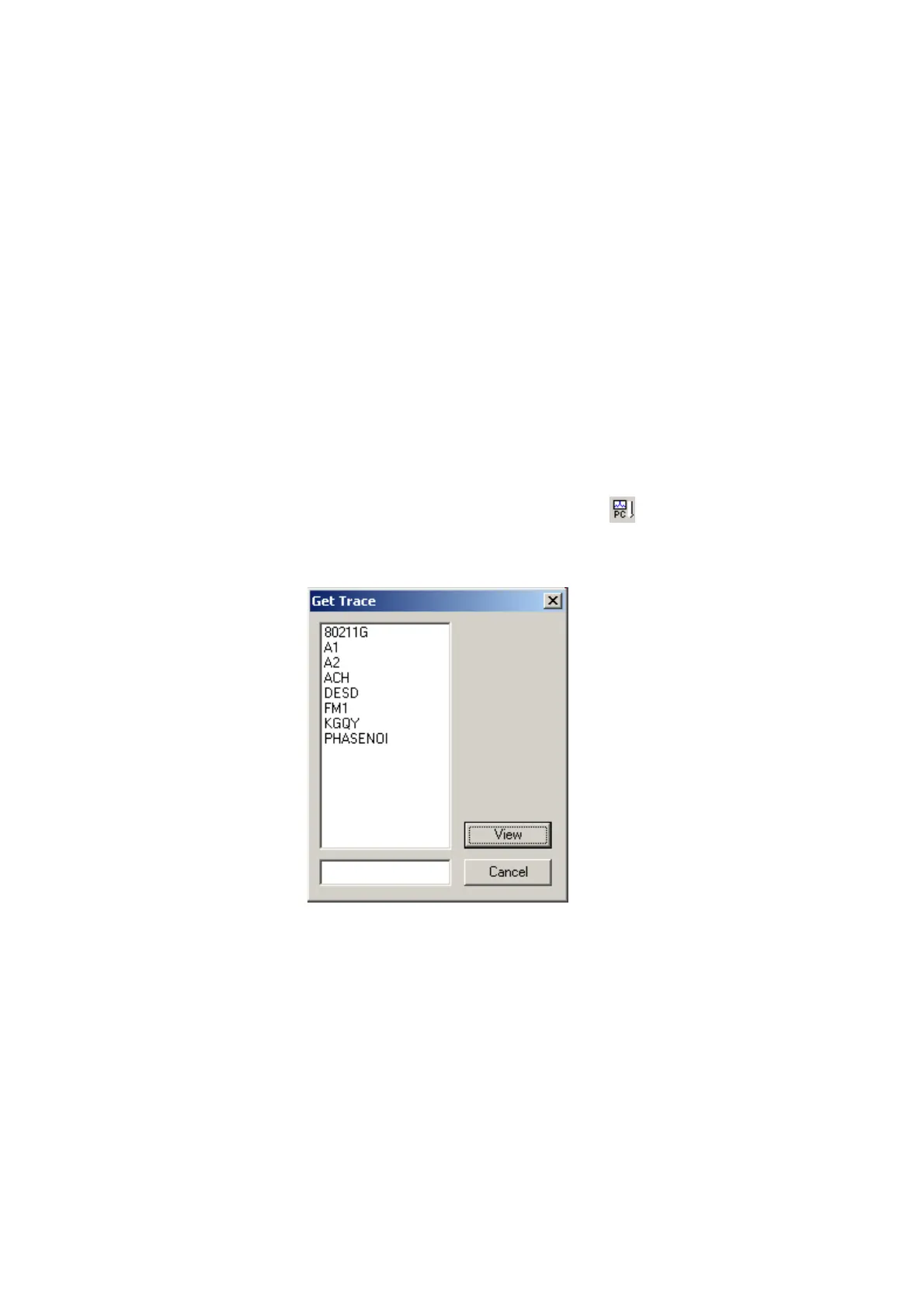
This will load and display a list of trace files that reside on the 9102
(see example below).
4 Select the desired trace file(s) and click
View.
The trace is displayed in the program window. You can resize or
maximize the trace within the program window.
5 To store the results on a local PC drive, select the window with the
trace to be stored, select
File > Save or File > Save as and choose a
directory and file name. The default directory is Traces inside your
9100 Data Exchange installation directory.
The trace file is stored on your PC with the extension *.9tm differ-
entiating it from the original trace saved on the 9102 and obtained
by the Get Trace procedure. These trace files have the extension
*.9tr.



 To Next Page