Chapter 3 Spectrum Analysis Operation
Special measurement functions
76 9102 Handheld Spectrum Analyzer Software version 5.31
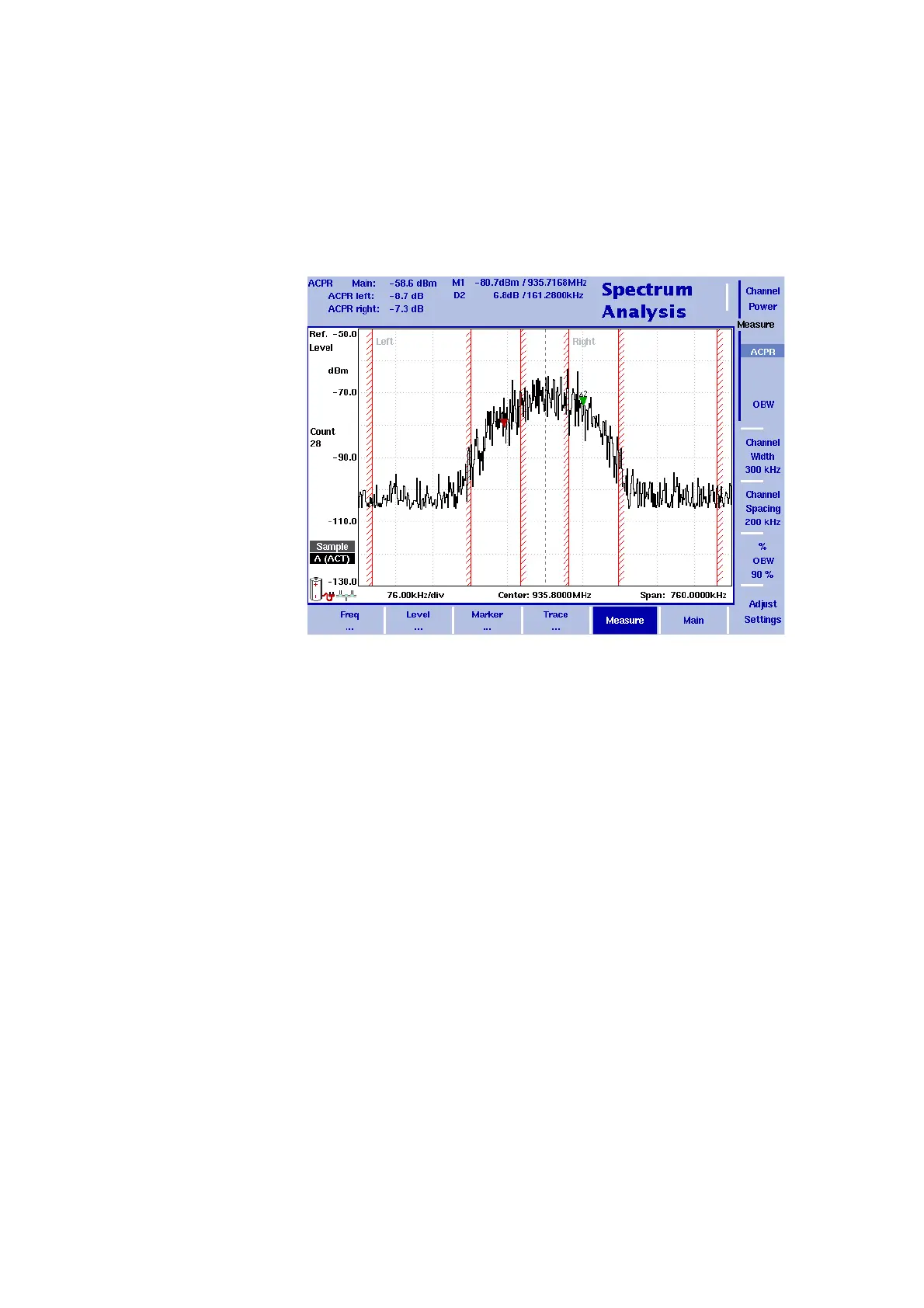
The 9102 determines the adjacent channels by the channel width and
channel spacing input parameters (see sections “Changing the channel
spacing” and “Changing the channel width” on page 78). It displays the
numerical results of the adjacent channel power ratio measurements
for the left (lower) and right (upper) channels on the top-left. The
measured bands are indicated graphically with bandwidth boundaries
shown in red.
Occupied bandwidth
(OBW)
The occupied bandwidth identifies the frequency range into which a
given percentage of the signal power falls. The frequency range is not
necessarily symmetric around the center frequency but is selected so
that the bandwidth to hold a certain user-defined OBW percentage is
minimized. See section “Changing the occupied bandwidth
percentage” on page 78.
OBW is indicated as an absolute value in the upper left-hand corner of
the display, together with the OBW percentage; marker A1 and delta
marker DA2 are assigned the lower and upper frequencies character-
izing the frequency range. The power is measured over three times the
normal channel bandwidth. The red boundary indicators mark the
normal channel bandwidth as selected in the Channel System menu.



 To Next Page