Chapter 2 General Operation
Using the front panel
9102 Handheld Spectrum Analyzer Software version 5.31
27
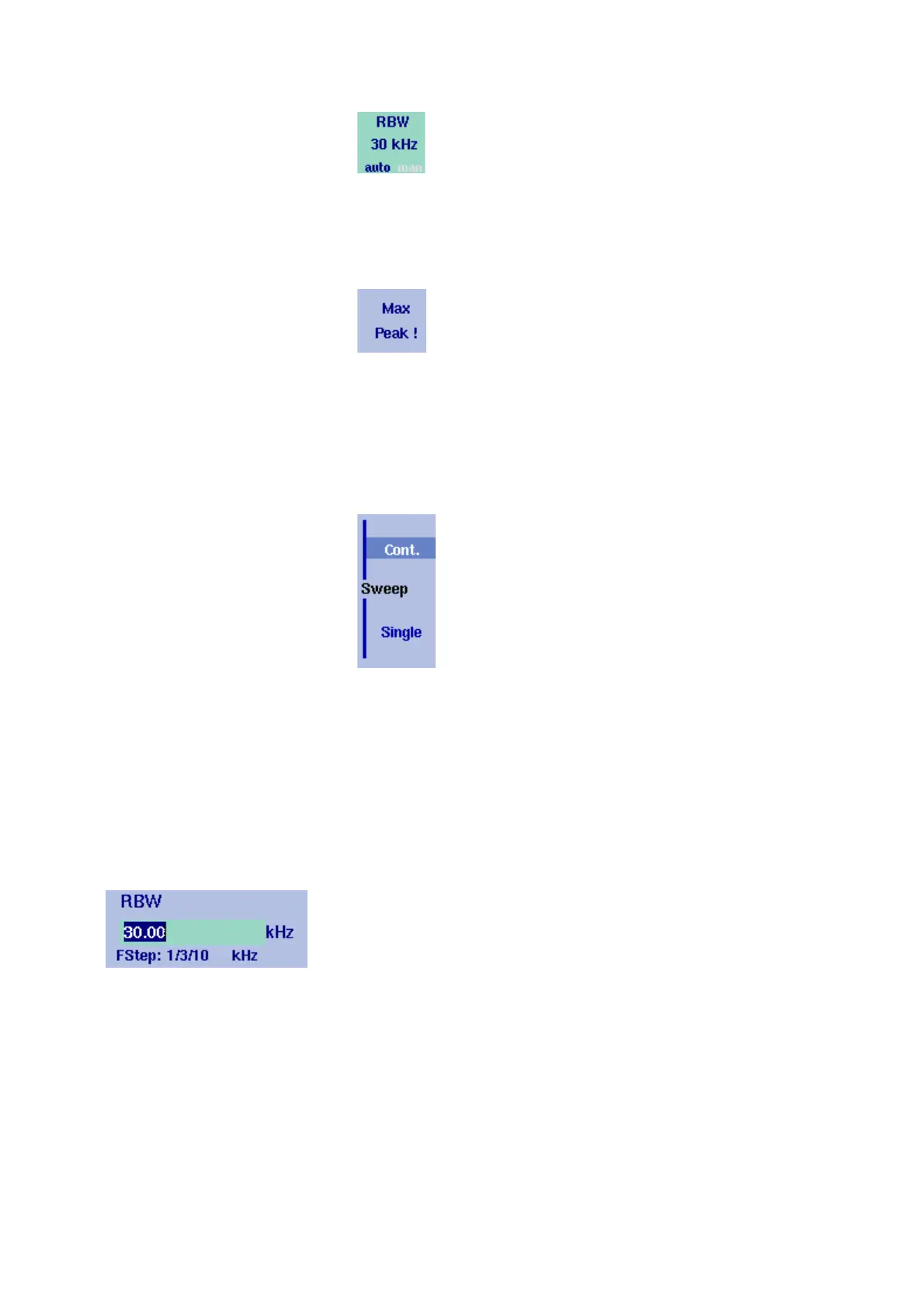
– Execution – by pushing the softkey, the function described is
performed. An execution softkey is indicated by an exclamation
mark.
Example: Max Peak softkey in the Marker menu.
– Selection – several selection softkeys allow you to choose between
different options. The selection softkeys for one function are indi-
cated by a vertical bar connecting the softkeys, and a text
describing the function. The option currently active is highlighted,
i.e. indicated by inverted colors.
Example: The TrigMode softkeys in the Sweep menu.
Entering numbers and
text
Whenever an input field is open, it expects you to enter either numbers
or characters (where characters may also include numerical digits).
You will notice immediately what the 9102 expects as the numeric keys
have the appropriate function.
Filling in a numerical input
field
When the 9102 software expects a numerical entry, pressing a numeric
key results in the appropriate digit to appear in the input field. The 9102
may or may not allow you to enter a decimal number or a signed value,
so the keys for the decimal point and for changing the sign of the
number are either active or not.
When all digits, the sign and the decimal point have been entered as
required, one of the enter keys must be pressed. Numbers often carry
a unit with them; the enter keys provide the appropriate units.



 To Next Page