Chapter 15 9100 Data Exchange Software
Managing communication systems for channel power measurements
9102 Handheld Spectrum Analyzer Software version 5.31
245
2 In the External Devices tab, select a directory and file(s) on the
right-hand side and press
< copy.
The selected files are transferred to the 9102.
Managing communication systems for channel power measurements
Measurements in channel power mode imply that a communication
system with predefined channel numbers and associated frequencies
has been defined. The 9102 comes with a few systems preinstalled;
more systems are available for download to the 9102 in the 9100 Data
Exchange Software, for example Wireless LAN, Bluetooth and TETRA.
For a complete listing of the communication systems available in the
9100 Data Exchange Software refer to “Predefined channel power
communication systems” on page 359. Here you will also find a listing
of the communication systems preinstalled on the 9102. Other
systems’ data can be easily entered on the PC using the 9100 Data
Exchange Software. Each set of system data can be stored in a sepa-
rate file; one or multiple files can be downloaded to the 9102. For
downloading and copying system files between the PC and the 9102,
see section “Managing files on the PC and on the 9102” below. Once
data are stored in the 9102, they can be used as described in section
“Operating in channel power mode” on page 86.
Editing communication
system parameters on
the PC
1 Select Tools > Channel System Editor... or by pressing Alt+C or by
clicking on the icon in the menu bar: .
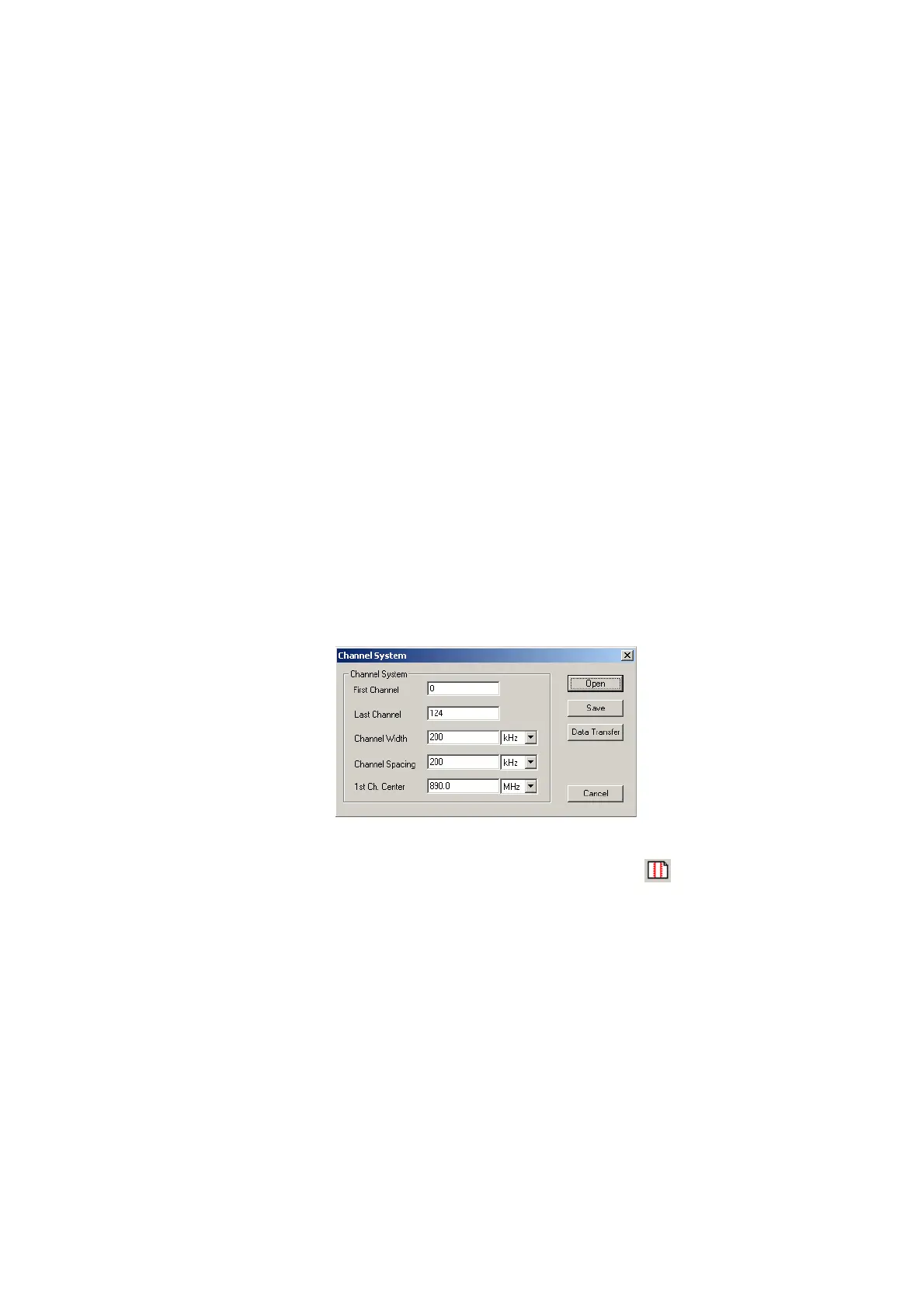
The Channel System menu appears.
2 If you want to edit a communication system that is already stored
on the PC, press
Open, select the appropriate directory and file,
and press E
NTER or click on Save.
3 Enter the first and the last valid channel number of the system.
4 In the Channel Width line, enter the measurement bandwidth
(separate input fields for value and unit).
5 In the Channel Spacing line, enter the frequency spacing (including
the unit) between consecutive channel numbers.
6 Enter the carrier frequency (including the unit) corresponding to
the first channel number in the
1st Ch. Center line.


 To Next Page