Chapter 7 Transmission Operation
Setting up the trace
132 9102 Handheld Spectrum Analyzer Software version 5.31
Selecting the detection
method
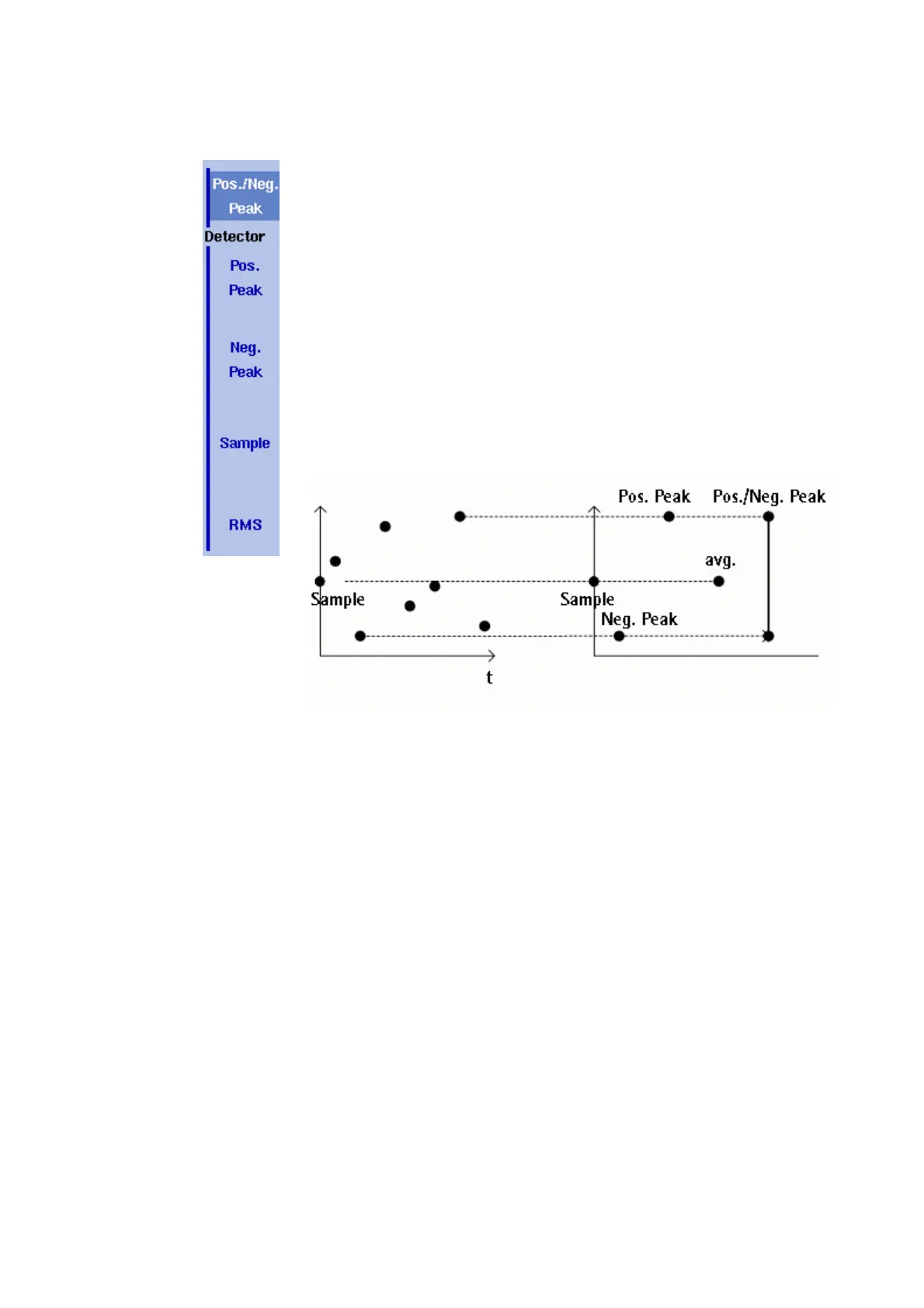
For each new measurement, the 9102 selects one or two values from
a number of measurements for each frequency value. The method is
user-definable; the following methods are available (see also
Figure 37):
– Positive/negative peak: Both the largest and smallest values are
taken and displayed as a vertical bar.
– Positive peak: Only the largest value is displayed.
– Negative peak: The smallest value is shown.
– Sample: A sample measurement value is picked.
– If the 9132 RMS Detector Option is installed and activated on your
9102, the root mean square detector showing the RMS-effective
level of the measured signal is also available. If the 9132 RMS
Detector Option is not installed on your instrument the RMS
detector will be greyed out.
The detection method applies to both traces. Select the detection
method as follows:
1 From the main menu, select
Trace > Detect.
2 Select the trace method from the Detector section of the vertical
softkeys.
The selected detection method is indicated at the left-hand side of
the display.
Copying traces inside
the 9102
You can copy an actual measurement from trace A to trace B or vice
versa; this way you can keep the last measurement results on the
screen and at the same time continue measuring or change the
settings of the 9102 Handheld Spectrum Analyzer. The previous results
in the target trace will be erased; the target trace will assume hold
mode.
To copy the measurement data from one trace to another, proceed as
follows:
Figure 37 Trace detectors



 To Next Page