Chapter 3 Spectrum Analysis Operation
Setting up the trace
9102 Handheld Spectrum Analyzer Software version 5.31
67
4 Choose between permanent demodulation and intermittent
demodulation at multiple markers by pressing the respective
Demod softkey.
5 If demodulation at marker is selected, you can change the duration
of the output of the demodulated signal:
– Push the
Duration softkey.
The Demod Duration input field opens.
– Enter the new duration using the numeric keys. Conclude the
entry with a push on one of the enter keys with the appropriate
unit: push
KHZ/DBΜV/MS for milliseconds or ENTER for seconds.
6 To adjust the speaker volume, push the
Volume softkey, enter a
new volume level from 0 to 100% and press E
NTER.
Setting up the trace
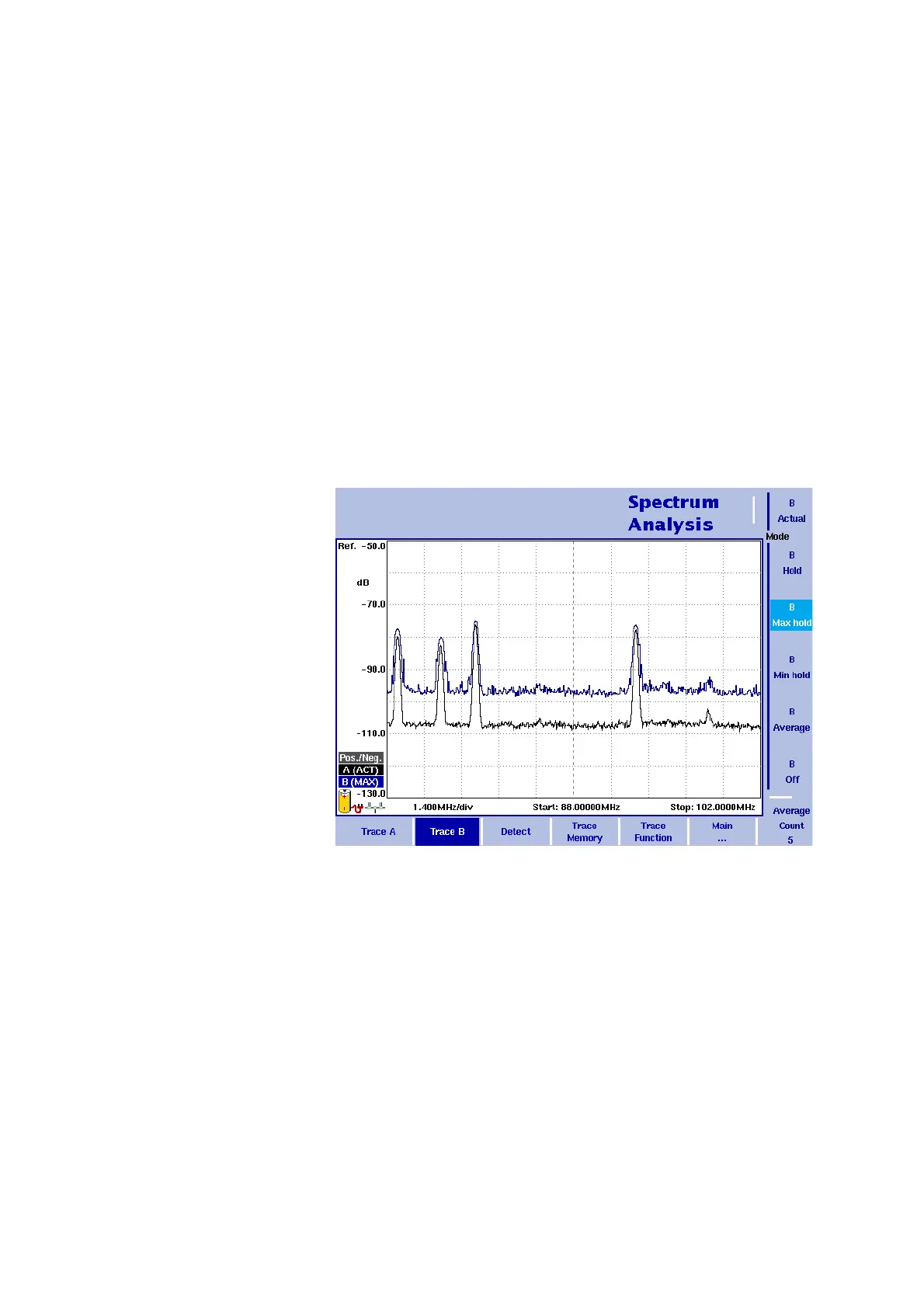
The trace functions provide different views of the measurements, for
example the actual measurement or an average over the last couple of
measurements. You can even select two different views of the
measurement. Another possibility is to compare the actual measure-
ment with an older measurement which has been stored in the 9102
and loaded to one of the trace views (see section “Storing and loading
traces” on page 73).
The 9102 samples many measurements for each frequency point. With
the detector functions, you can define the method to select which of
the samples is displayed.
Figure 18 Example of two traces



 To Next Page