Chapter 3 Spectrum Analysis Operation
Special measurement functions
9102 Handheld Spectrum Analyzer Software version 5.31
77
Selecting the
measurement type
To select the type of measurement within spectrum analysis mode,
proceed as follows:
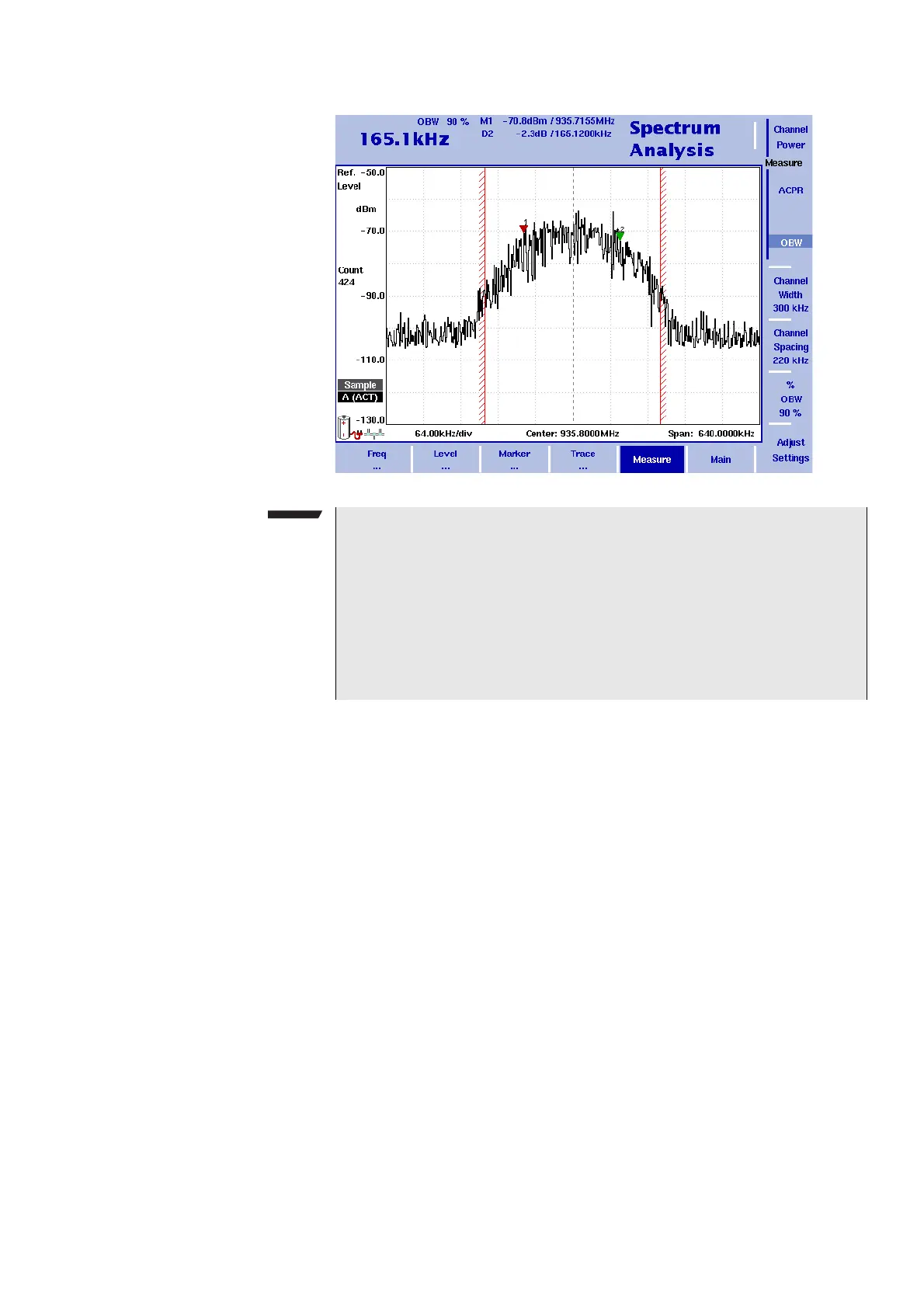
1 From the Spectrum Analysis main menu, select
Measure.
2 Select a measurement type using the vertically aligned softkeys in
the
Measure section.
The numerical result for the selected measurement appears in the
upper left-hand corner of the display.
Switching special
measurement functions
off
To return to normal spectrum analysis measurements without special
measurement functions, simply press the softkey of the selected
measurement type again. This will deactivate the special measure-
ments.
NOTE
If the selected resolution bandwidth is high and the occupied band-
width very low, there may be rare cases in which all the power for
the occupied bandwidth is mapped to one point in the spectrum dis-
play. In such a case, the 9102 displays “N/A” (not available) instead
of the bandwidth, and the markers usually indicating the bandwidth
boundaries are invisible.
Increase the occupied bandwidth or decrease the resolution band-
width to receive results.



 To Next Page