Chapter 15 9100 Data Exchange Software
Managing files on the PC and on the 9102
252 9102 Handheld Spectrum Analyzer Software version 5.31
2 Click on Open to open an existing settings file on the PC. The Open
Settings File... dialog box appears.
3 Select the directory and settings file that you want to modify, and
click on
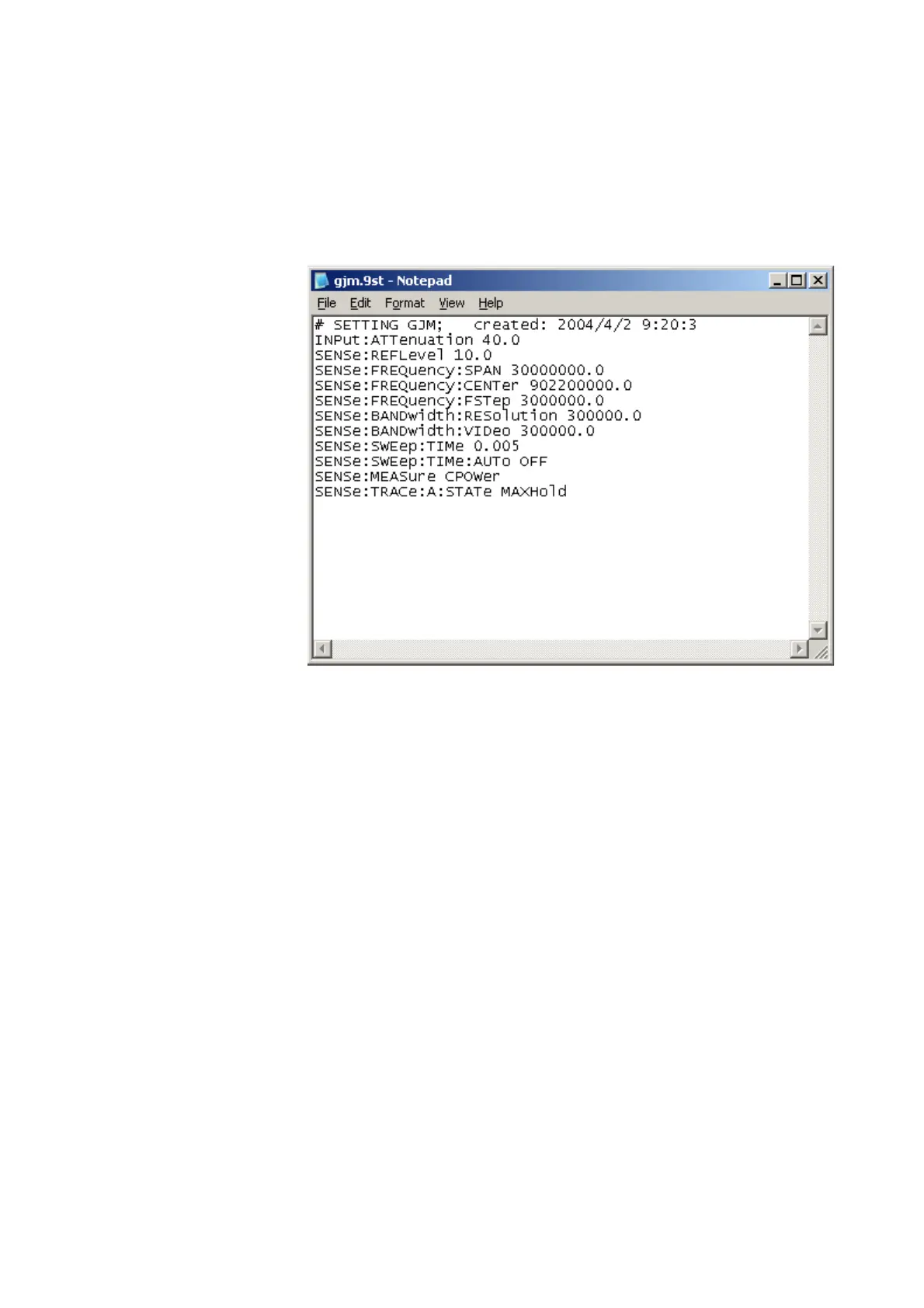
Open. An additional program window with the Microsoft
Windows text editor Notepad opens, and the selected file is
displayed.
4 Modify or add lines with SCPI commands for the desired settings.
Refer to chapter “SCPI Command Reference” on page 257 for
correct syntax and value range of the parameters.
5 Save and close the file within Notepad, and return to 9100 Data
Exchange Software to transfer the file to the 9102.
Managing files on the PC and on the 9102
There are various types of settings which can be maintained from the
PC using the 9100 Data Exchange Software. This section explains how
data can be transferred between the 9102 and the PC, maintained and
deleted.
File types and directory
structure
Each type of setting stored on the PC has a preferred file name exten-
sion and directory for different sets of parameters. The table below
summarizes this file structure.


 To Next Page