Chapter 7 Transmission Operation
About the transmission mode
116 9102 Handheld Spectrum Analyzer Software version 5.31
About the transmission mode
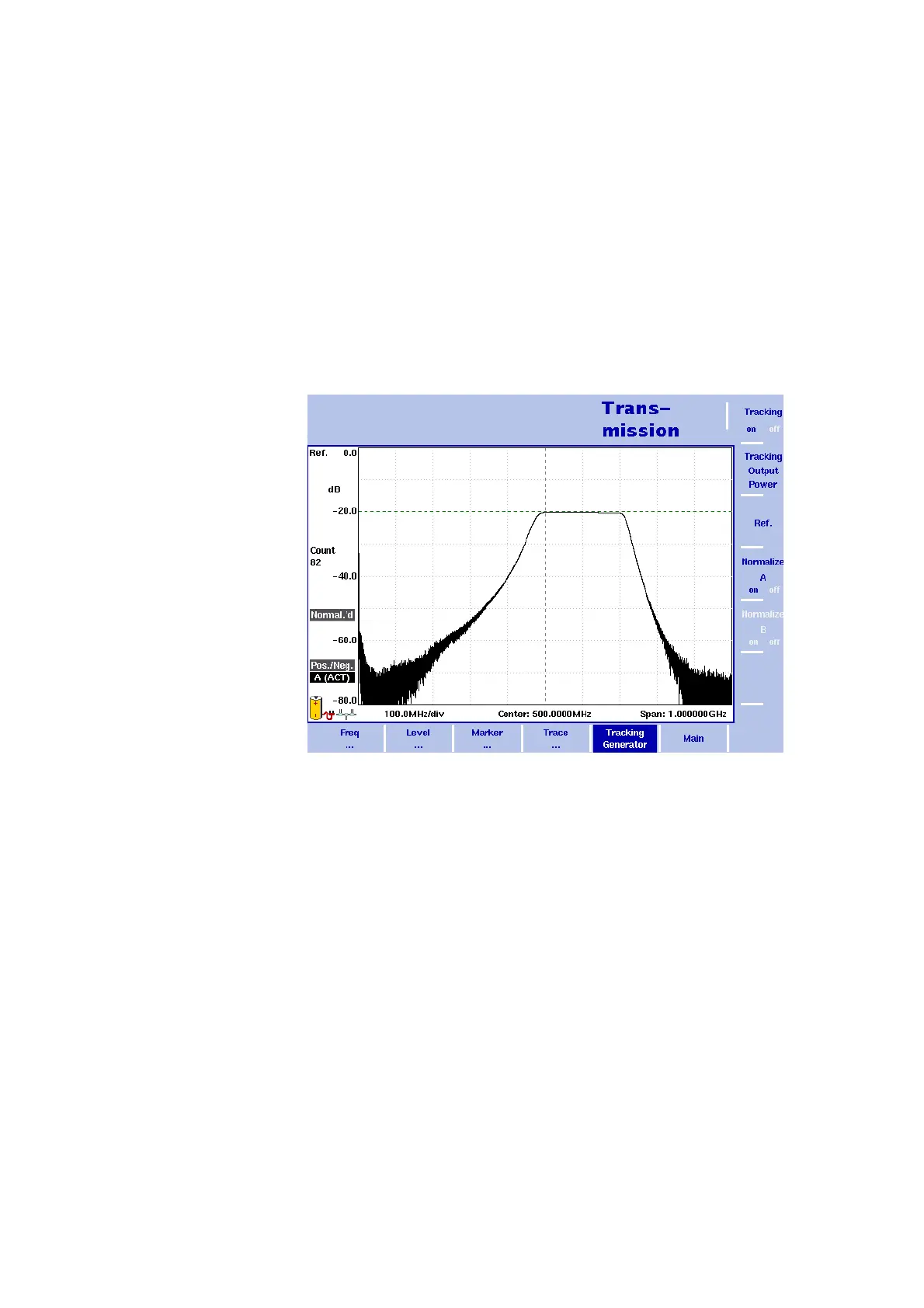
The transmission mode allows you to determine the frequency charac-
teristics of passive (e.g. bandpass filters) or active devices under test
(e.g. amplifiers). In this mode the 9102 Handheld Spectrum Analyzer
uses a tracking generator –
a signal generator which is synchronous
with the receive frequency of the spectrum analyzer –
to measure e.g.
reflection and the transmission characteristics of devices under test.
The tracking generator has an output frequency from 1 MHz to 4 GHz.
Its level is adjustable from –10 to –30 dBm which allows adaptation of
the output signal to the demands of devices under test. In the 9100
applications guide contained on the documentation CD delivered with
your instrument you will find an application example for this mode.
Selecting the measurement mode
To select transmission mode, proceed as follows:
1 Push the M
ODE function key.
The Mode menu appears.
2 Select
(VSWR/)Tracking ... > Transmission.
The Transmission main menu appears.
Figure 31 Example of a transmission measurement


 To Next Page