Chapter 3 Spectrum Analysis Operation
Applying special functions on the signal
66 9102 Handheld Spectrum Analyzer Software version 5.31
Performing a limited
number of
measurements
The 9102 can run measurements continuously or a defined number of
times. Limiting the number of measurements can be useful for statis-
tical analyses.
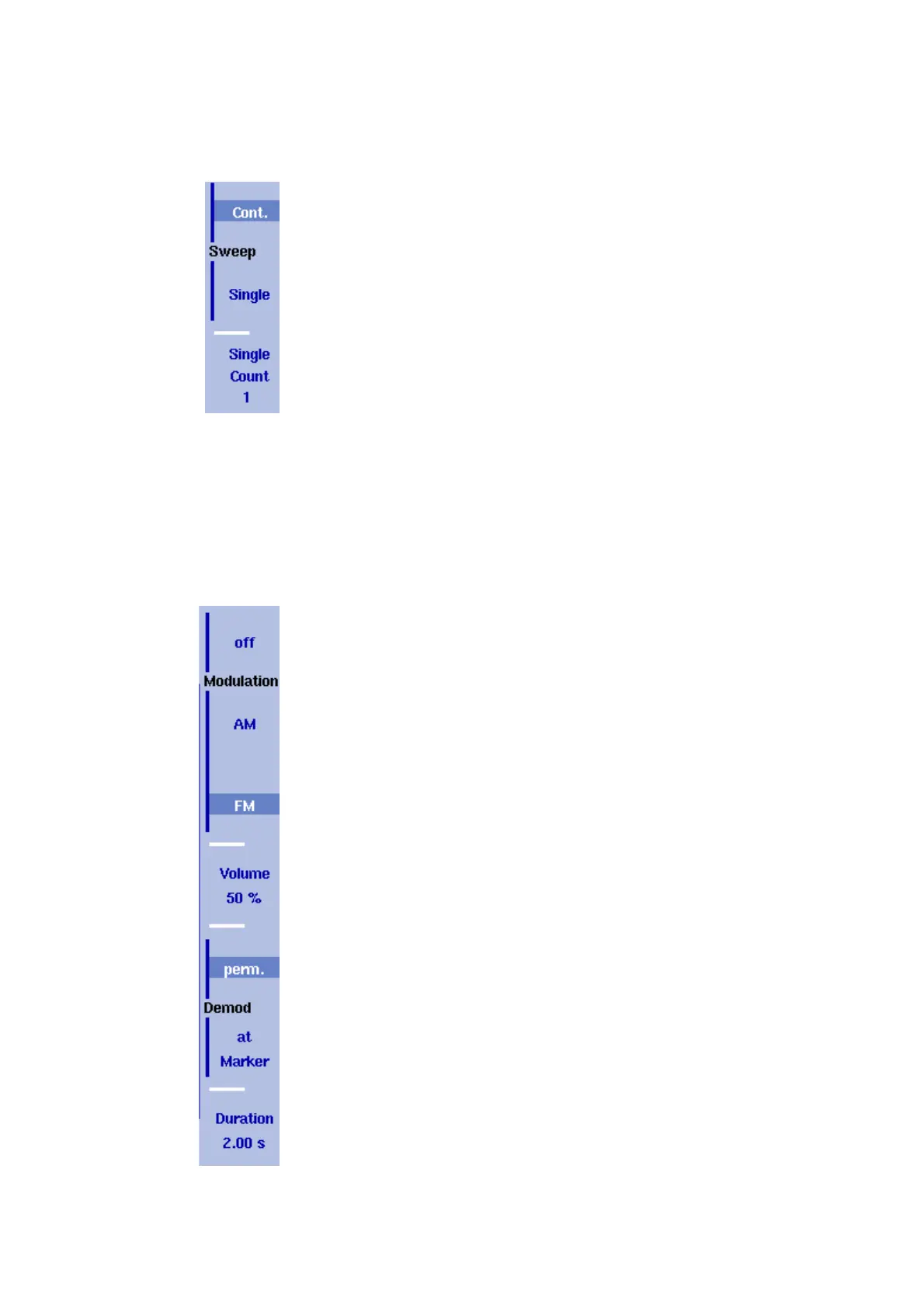
1 From the main menu, select
Freq > Sweep.
The Sweep menu appears.
2 Select the trigger mode: Push
Cont. for continuous measurements
or
Single for a limited number of measurements.
The selected trigger mode is highlighted.
3 To enter the number of measurements, push the
Single Count
softkey, enter a number in the range from 1 to 1000 and press
E
NTER.
If Trigger Mode is set to Single, the 9102 performs the defined
number of measurements and enters Hold mode.
– To restart single-mode measurements, push the H
OLD/RUN func-
tion key or the
Single softkey.
– To stop a continuous measurement, push the H
OLD/RUN function
key. Push it again to resume measurements.
Demodulating an AM or
FM signal
The 9102 has the ability to demodulate an AM (amplitude modulation)
or FM (frequency modulation) signal and to output the signal at the
built-in loudspeaker. The signal should have a signal strength of at least
–50 dBm; the demodulation bandwidth is about 10 kHz.
The 9102 can be set to either demodulate one signal permanently, or
to toggle between the different frequencies. When set to permanently
demodulate one signal, the 9102 demodulates the signal at the center
position.
When the 9102 is set to toggle between frequencies, it uses the marker
frequencies (marker M1 is enabled if not already active). After
performing and displaying a new measurement, the 9102 demodulates
and outputs the received signal for a short duration. This duration is
selectable in the range from 1 to 10 seconds. The 9102 demodulates
the carrier at the marker position; the demodulated signal is output for
the selected duration. If more than one marker is active, demodulation
is resumed at the next marker frequency and so on until a piece of the
signal at all active markers has been demodulated. The process starts
anew with a new measurement.
The speaker volume can be selected as a percentage of the speaker’s
maximum capacity.
1 Set a marker to the center frequency of the signal to be demodu-
lated (see section “Setting up the trace” on page 67).
2 From the main menu, select
Freq > Demod.
The Demodulation menu appears.
3 Select the demodulation method (
AM, FM, or Off).
The selected method is highlighted.


 To Next Page