Chapter 2 General Operation
Using the front panel
18 9102 Handheld Spectrum Analyzer Software version 5.31
– When the LED is flashing yellow quickly and permanently, there is a
problem with the battery or the charger. Please report this problem
to a Aeroflex service center.
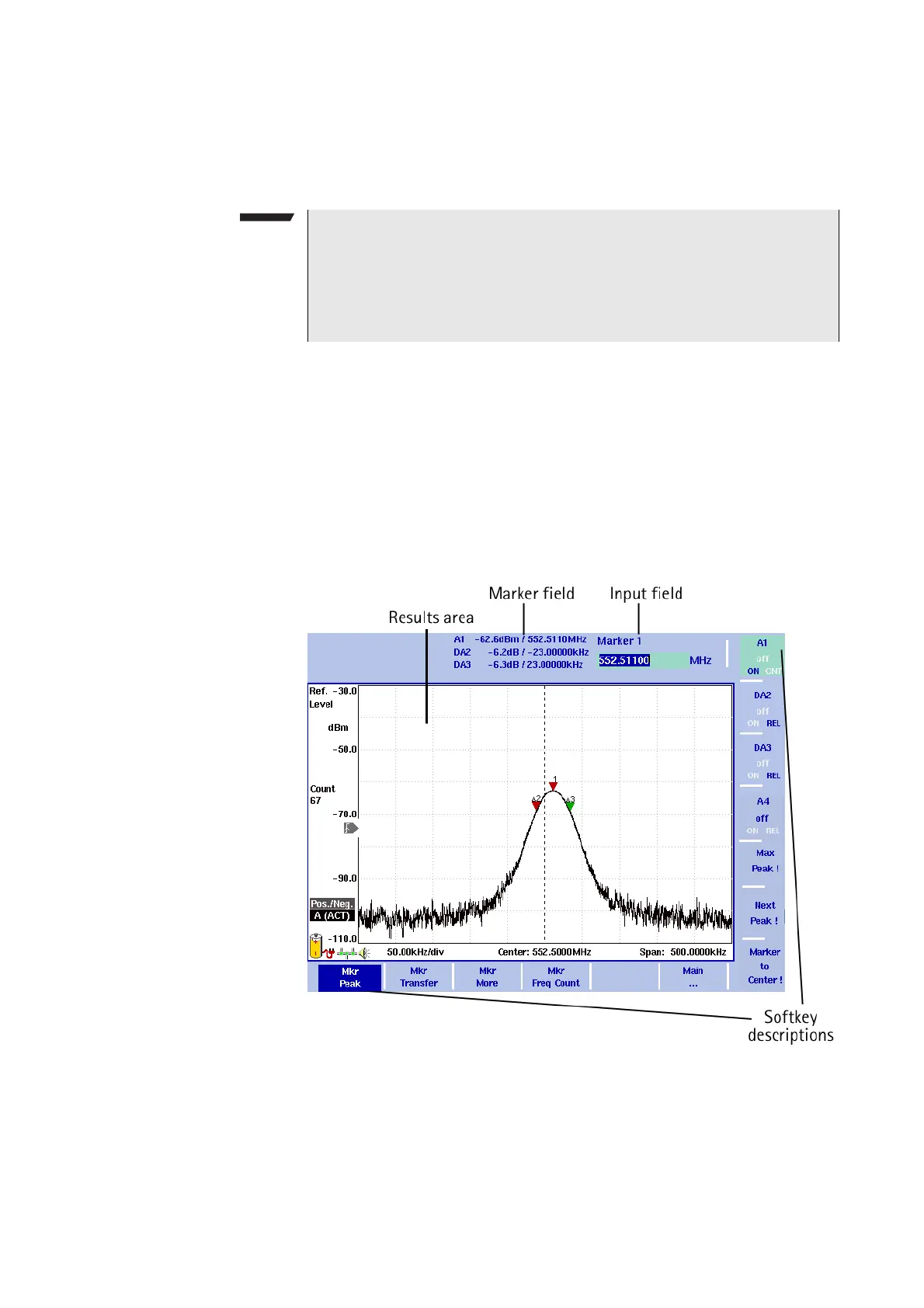
Display The 6.5 inch display is divided into the following sections (see
Figure 4):
– Results area
–Marker field
– Input field
– Softkey descriptions
NOTE
Signal level measurement results may be impaired when the battery
is low, that means when the battery has less than 10% of its nominal
capacity. See Table 6 on page 19 for an indication when the battery
is low. For a detailed description on installing and charging the bat-
tery please refer to your getting started manual.
Figure 4 Display sections



 To Next Page