Chapter 2 General Operation
Using limit lines
34 9102 Handheld Spectrum Analyzer Software version 5.31
4 Push the Marker to Ref. Lvl softkey.
The reference level changes to the level of the selected marker.
Assigning the marker
frequency to FStep
For measurements of harmonics or intermodulation products, it can be
useful to easily change between frequencies in user-defined steps. The
“Marker to FStep” function assigns the active marker (or delta marker)
frequency to FStep, the step width for the selection of center frequency
and marker frequency.
Assumption: One of the markers A1 through A6 or B1 to B6 is active.
1 From the main menu, select
Marker > Mkr Transfer to access the
Marker Transfer menu.
2 Push
Marker to FStep.
The FStep parameter assumes manual mode. If the currently active
marker is an absolute marker, the frequency at the marker position
becomes the new FStep value.
Alternatively, if the currently active marker is a relative (delta)
marker, the difference between the frequencies at the active
marker and marker 1 becomes the new FStep value.
If the new FStep value is higher than 1 GHz, the old FStep value is
maintained and the 9102 sounds a hint beep.
Using limit lines
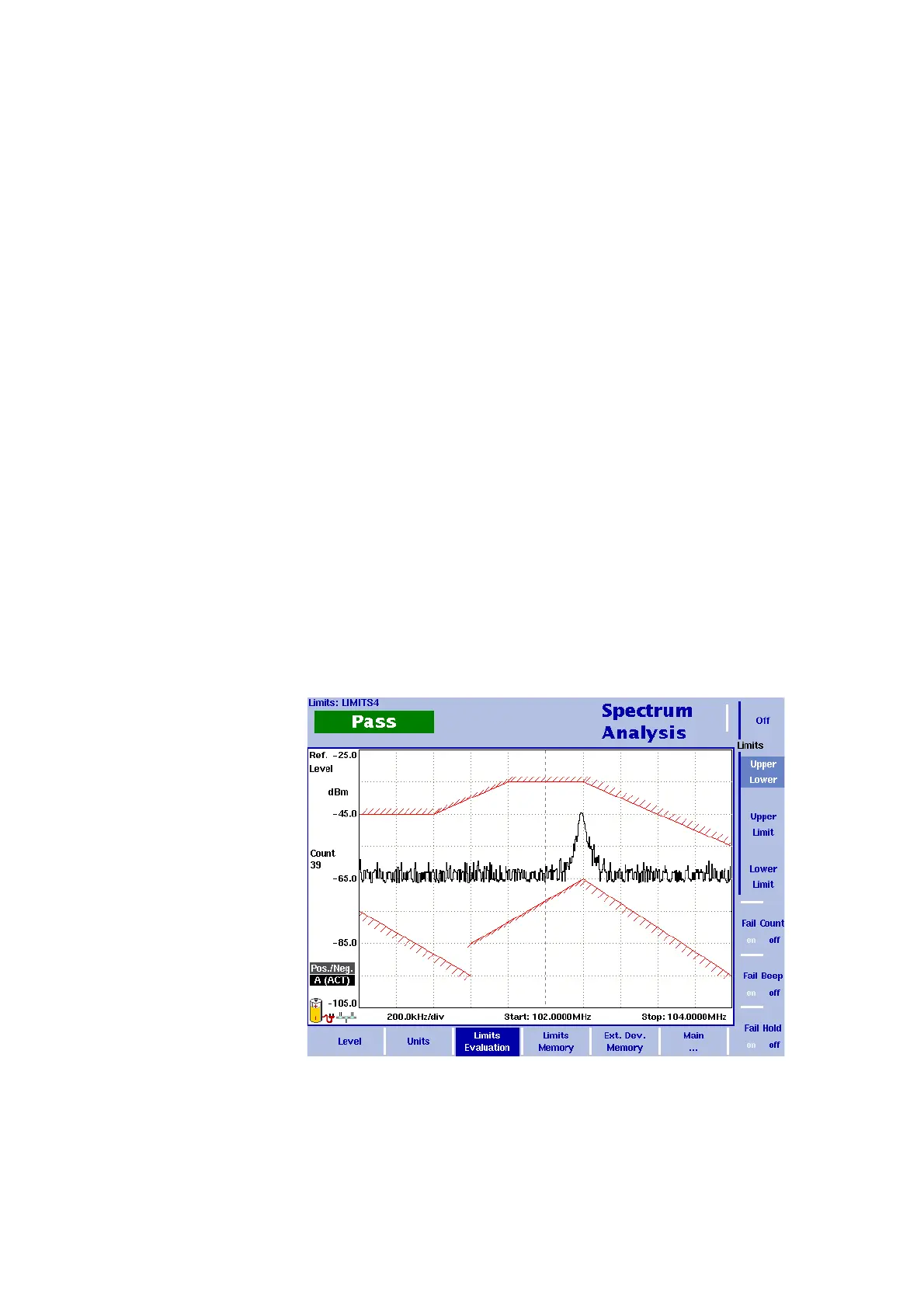
Figure 7 Example of limit lines in spectrum analysis



 To Next Page