Chapter 2 General Operation
Checking general settings
44 9102 Handheld Spectrum Analyzer Software version 5.31
Installing a new option Software options can be installed by entering an activation key which
you can purchase from Aeroflex or one of its representatives. To install
a new option:
1 Press the M
ODE function key followed by the System softkey.
The System Information menu appears.
2 Select
Options and press Activate Options.
3 Enter the activation key and press E
NTER.
If the code is valid, the appropriate option is shown in bold print
with a tick in front, indicating that the option is accessible now.
Changing the display
brightness
1 Push the MODE function key.
2 Select
System > Settings.
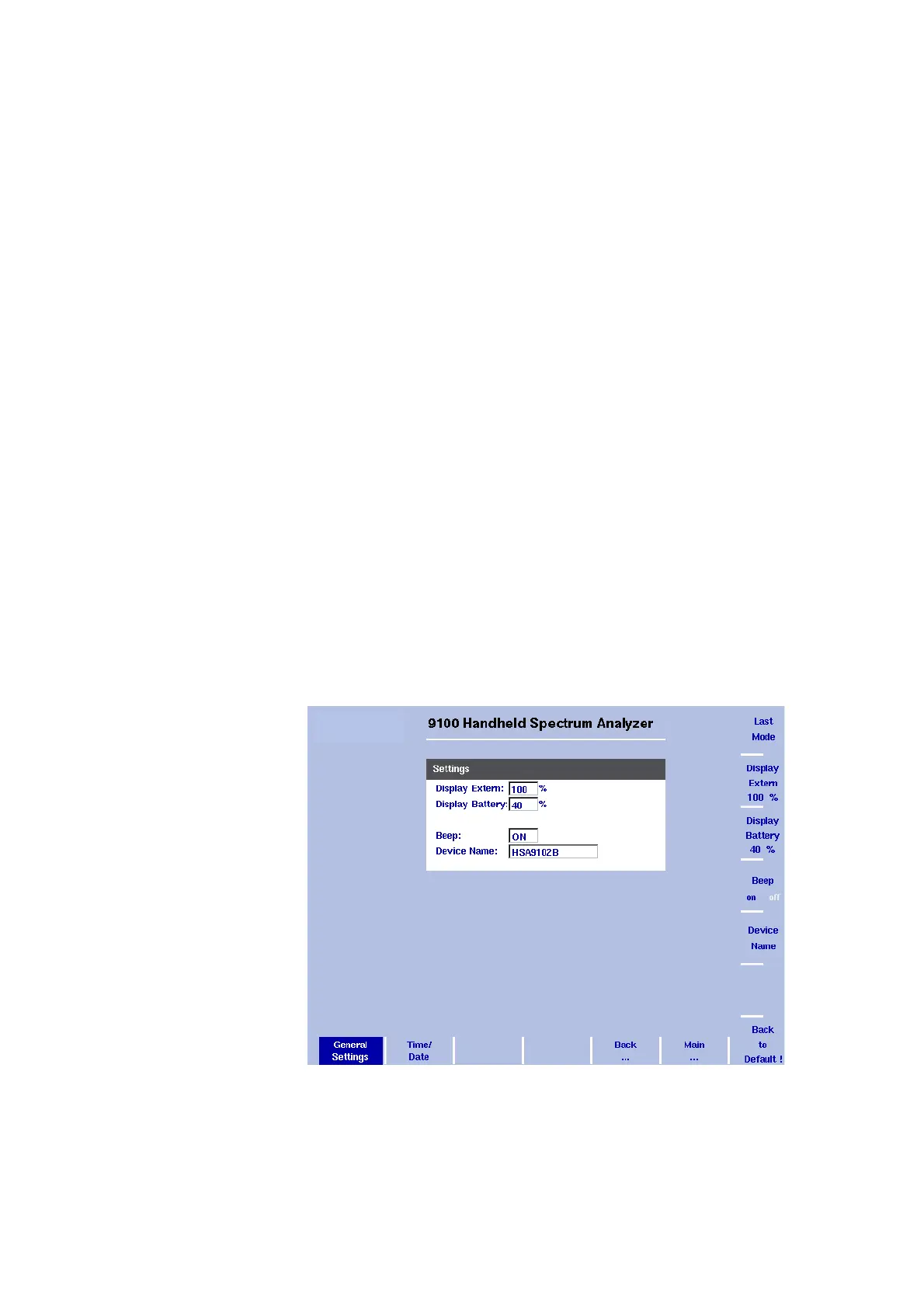
The general settings display appears (see Figure 10), showing the
current display backlight setting as a percentage.
3Press the
Display Extern softkey to change the backlight setting for
usage while the 9102 is connected to an external power supply
Press the
Display Battery softkey to change the backlight setting for
running the 9102 on battery. Here, you can specify a reduced
backlight setting for battery usage in order to save energy.
In both cases the backlight input field is highlighted.
4 Enter a new value in the field for the backlight setting you intend to
change and confirm with E
NTER, or change the current value with
the U
P/DOWN cursor keys.
The 9102 display uses the new brightness values.
Figure 10 General Settings menu



 To Next Page