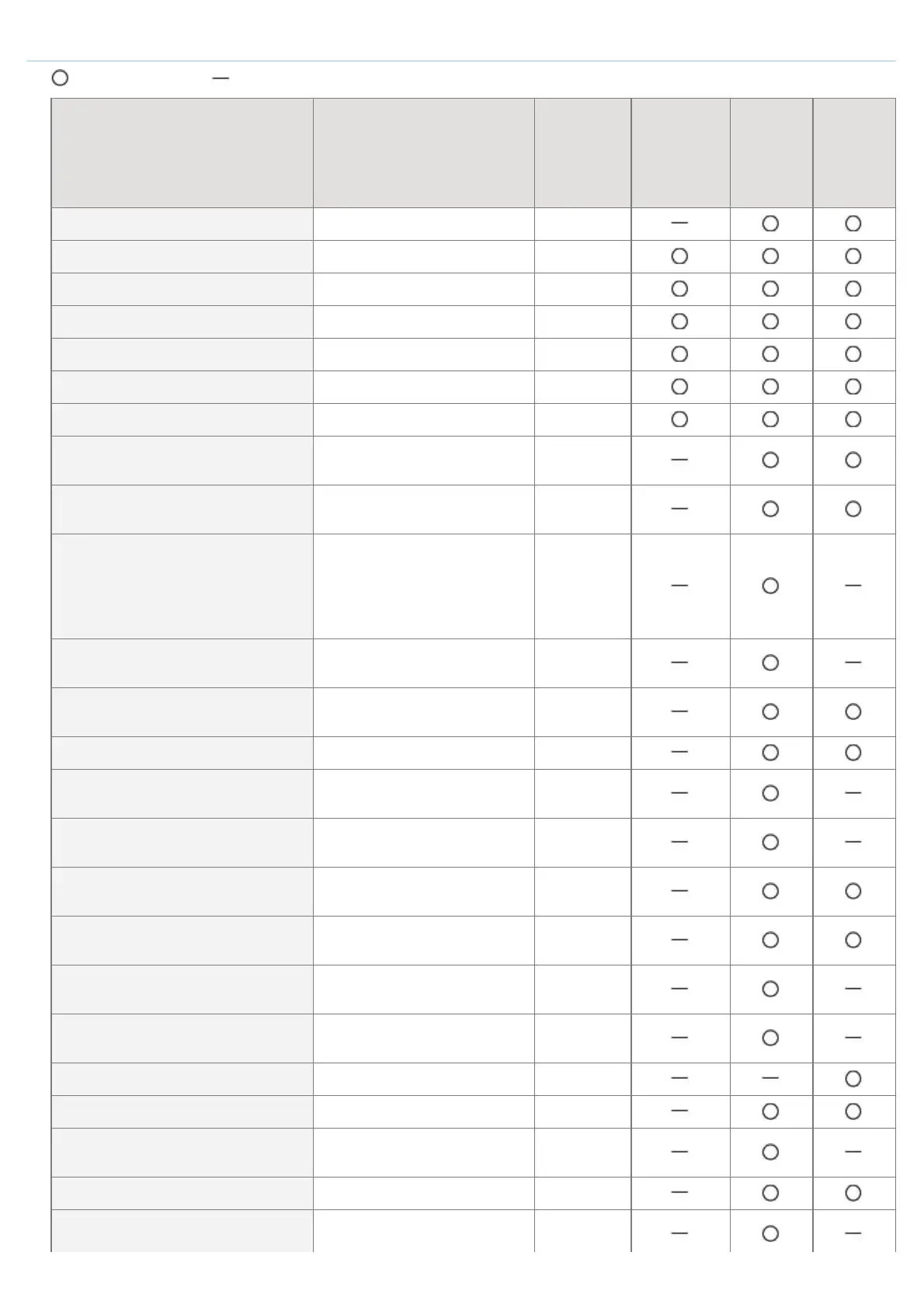
TCP/IP (IP v. 4) Settings
: Can be specified : Cannot be specified
Option Contents Default
Settings
Using
NetSpot
Device
Installer
Settings
Using
FTP
Client
Settings
Using
the
Control
Panel
[Use IPv4] (IPV4_USE) ON, OFF ON
[DHCP] (DHCP_ENB) ON, OFF ON
[RARP] (RARP_ENB) ON, OFF OFF
[BOOTP] (BOOTP_ENB) ON, OFF OFF
[IP Address] (INT_ADDR) IP address 0.0.0.0
[Subnet Mask] (NET_MASK) IP address 0.0.0.0
[Gateway Address] (DEF_GW) IP address 0.0.0.0
[Primary DNS Server Address]
(DNS_PADDR)
IP address 0.0.0.0
[Secondary DNS Server Address]
(DNS_SADDR)
IP address 0.0.0.0
[Host Name] (HOST_NAME)
Up to 47 alphanumeric
characters
"Canon" +
"Last 6
digits of
the MAC
address"
[Domain Name] (DOMAIN_NAME)
Up to 47 alphanumeric
characters
(Blank)
[DNS Dynamic Update]
(DDNS_ENB)
ON, OFF OFF
[WINS Resolution] (WINS_ENB) ON, OFF OFF
[WINS Server Address]
(WINS_SERVER)
IP address 0.0.0.0
[Scope ID] (WINS_SCOPEID)
Up to 63 alphanumeric
characters
(Blank)
[Use ARP/PING]
(ARP_PING_ENB)
ON, OFF ON
[Use FTP Print]
(FTP_PRINT_ENB)
ON, OFF OFF
[FTP Print User Name]
(FTP_PRINT_USER)
Up to 24 alphanumeric
characters
guest
[Password] (FTP_PRINT_PWD)
Up to 24 alphanumeric
characters
7654321
[FTP Settings] ON, OFF OFF
[Use LPD Printing] (LPD_ENB) ON, OFF ON
[Print LPD Banner Page]
(LPD_BANN)
ON, OFF OFF
[Use RAW Printing] (RAW_ENB) ON, OFF ON
[Use Bidirectional Communication]
ON, OFF OFF
㻟㻥㻤㻌㻛㻌㻥㻣㻜



 To Next Page