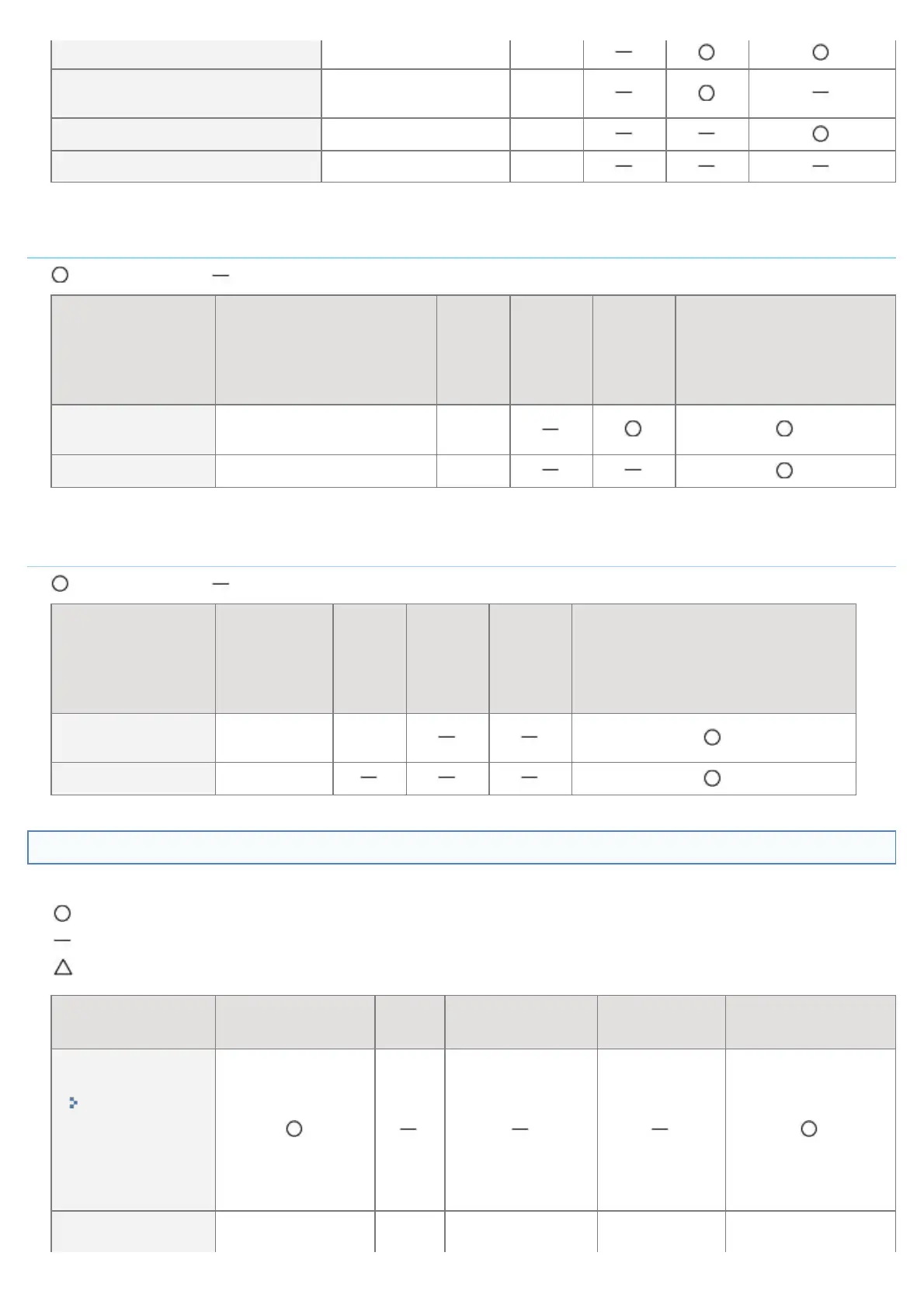
[POP3 RX](EMAIL_PRINT_ENB) ON, OFF OFF
[POP3 Server Port
Number](EMAIL_POP_PORTNO)
0 to 65535 110
[SMTP RX] ON, OFF OFF
[SMTP Server Port Number] 0 to 65535 25
*
When it is set to [0], it does not automatically receive e-mail from the server.
Remote UI Settings
: Can be specified : Cannot be specified
Option Contents Default
Settings
Using
NetSpot
Device
Installer
Settings
Using
FTP
Client
Settings Using the
Control Panel
[Remote
UI](RUI_ENB)
*
Turing ON or OFF the
Remote UI
ON
[Use SSL] ON, OFF OFF
*
Can be specified only by FTP Client or the printer's control panel
Permitted Receiving MAC Address Settings
: Can be specified : Cannot be specified
Option Contents Default
Settings
Using
NetSpot
Device
Installer
Settings
Using
FTP
Client
Settings Using the Control Panel
[MAC Address
Filter]
ON, OFF OFF
[MAC Address] (Display only)
Software That Can Be Used for the Network Settings
You can perform the network settings for this printer using the following software.
: Specifiable
: Not specifiable
: Can perform a part of the settings
Setting Type
Web Browser
(Remote UI)
FTP
Client
NetSpot Device
Installer
ARP/PING
Command
Control Panel of
the Printer
Configuring the
Ethernet Driver
"Changing the
Network
Transmission
Speed or
Transfer
Mode"
Setting the Spooling
㻠㻜㻣㻌㻛㻌㻥㻣㻜



 To Next Page