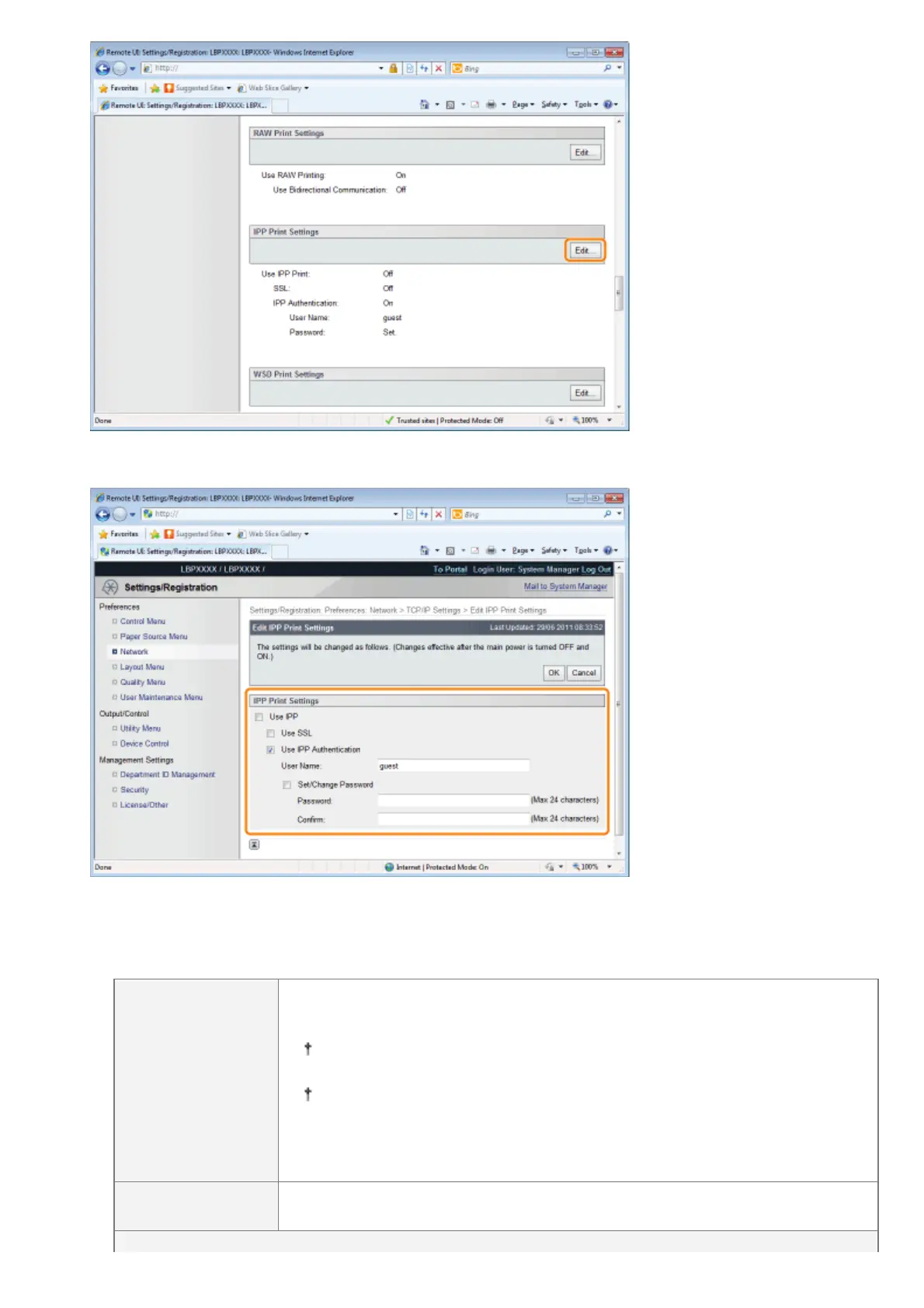
(2) Set IPP print.
To Use IPP/IPPS Printing
Select the [Use IPP] check box, and set the following items.
[Use SSL]
When the check box is selected, you can use IPPS (encryption of IPP
communication data using SSL).
You can only use IPPS when the SSL encrypted communication function is
enabled.
You cannot select the [Use SSL] check box if a key and certificate have
been created but the use key is not registered.
See "Setting Keys and Certificates" for more information about SSL
encrypted communication functions and key registration procedures.
[Use IPP
Authentication]
When the check box is selected, use the IPP print user authentication function.
㻠㻟㻥㻌㻛㻌㻥㻣㻜



 To Next Page