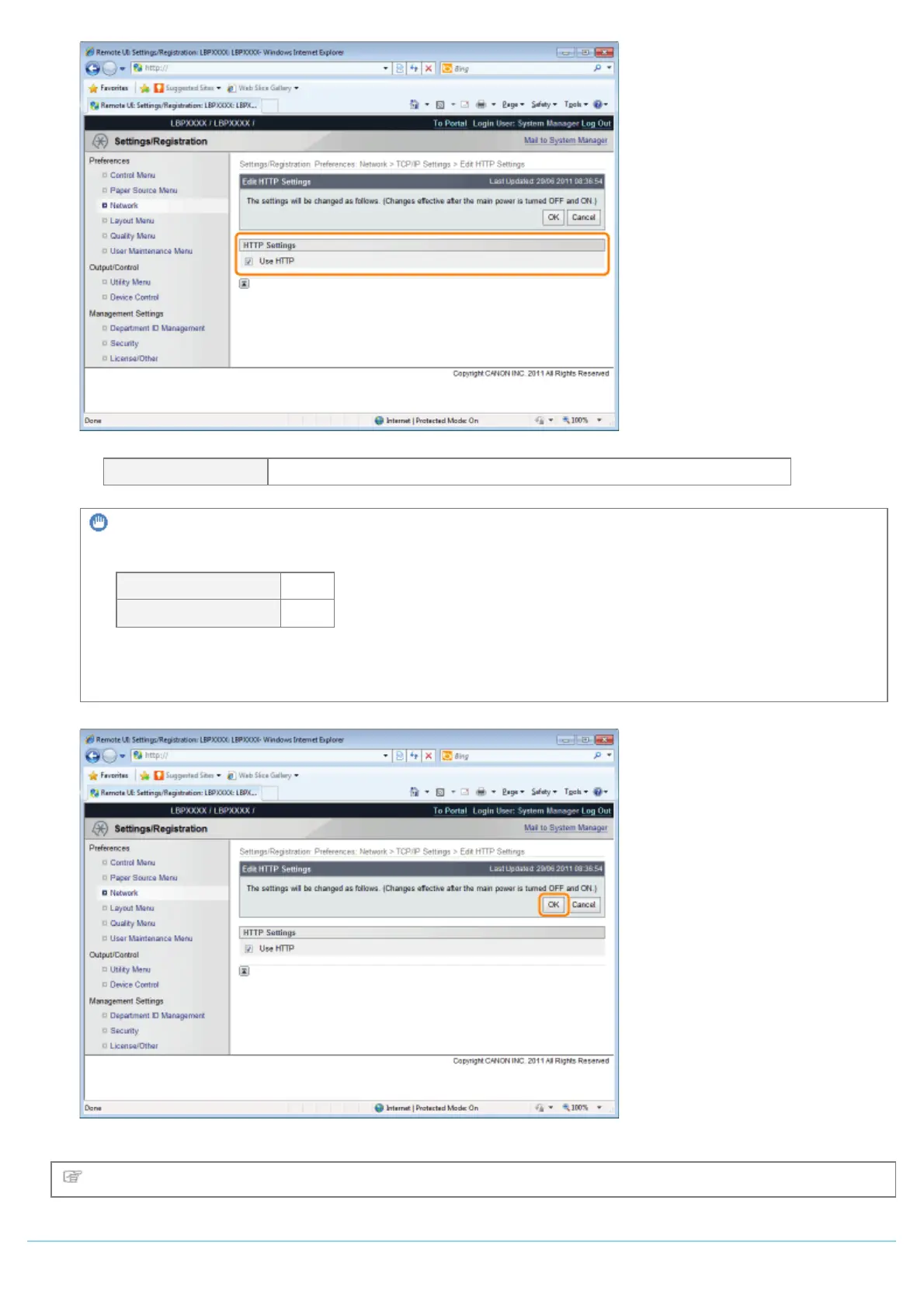
[Use HTTP] When the check box is selected, you can access the printer using HTTP.
IMPORTANT
When the [Use HTTP] check box is cleared
The settings on the functions using HTTP change automatically, as shown below.
[Use IPP Print] [Off]
[Remote UI]
*
[Off]
*
Can only be set from the printer's control panel and the FTP client
If the [Use HTTP] check box is cleared, you will not be able to use IPP print or Remote UI, so consult with the
network administrator before you set it.
(3) Click [OK].
Proceed to Step 6 if you do not specify the settings for the other options.
Setting SSL Keys and Certificates
㻠㻠㻟㻌㻛㻌㻥㻣㻜



 To Next Page