Check the key used for SSL.
See "Setting Keys and Certificates" for more information about SSL encrypted communication functions and key
registration and selection procedures.
Proxy Settings
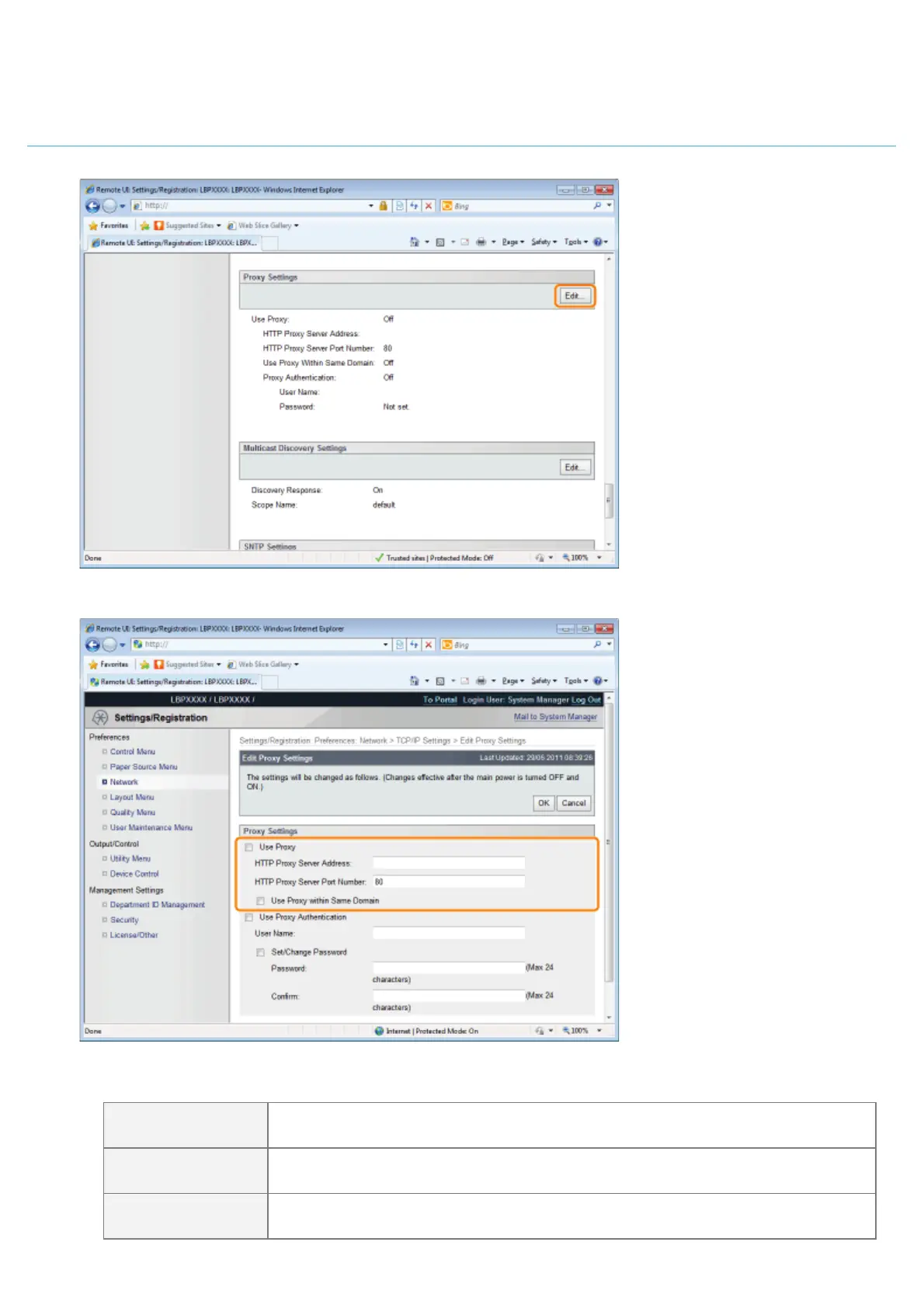
(1) Click [Edit...] in [Proxy Settings].
(2) Set proxy functions.
When using proxy functions
Select the [Use Proxy] check box, and set the following items.
[HTTP Proxy Server
Address]
Enter the address of the proxy server used by the proxy functions.
[HTTP Proxy Server
Port Number]
Enter the port number of the proxy server used by the proxy functions. You can set
it between [1] and [65535].
[Use Proxy within
Same Domain]
When the check box is selected, use the proxy function within the same domain.
㻠㻠㻠㻌㻛㻌㻥㻣㻜


 To Next Page
 Loading...











