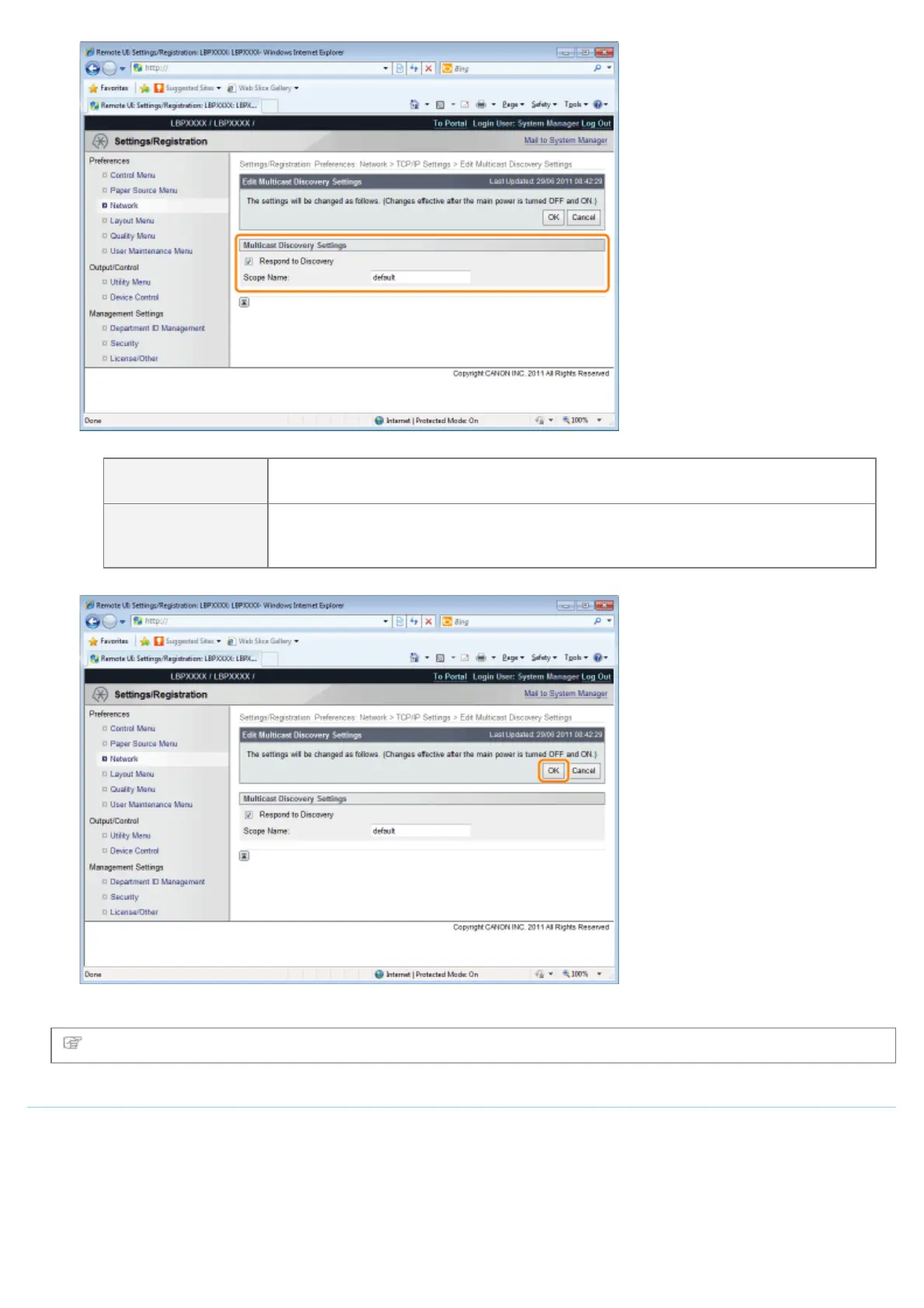
[Respond to
Discovery]
Select the check box to allow it to respond to a multicast search request.
[Scope Name]
Enter the scope name used when a specified device is searched from utility software
such as NetSpot Device Installer using multicast. Up to 32 characters can be
entered.
(3) Click [OK].
Proceed to Step 6 if you do not specify the settings for the other options.
SNTP Settings
Set whether to synchronize the printer time with the NTP server.
(1) Click [Edit...] in [SNTP Settings].
㻠㻠㻣㻌㻛㻌㻥㻣㻜



 To Next Page